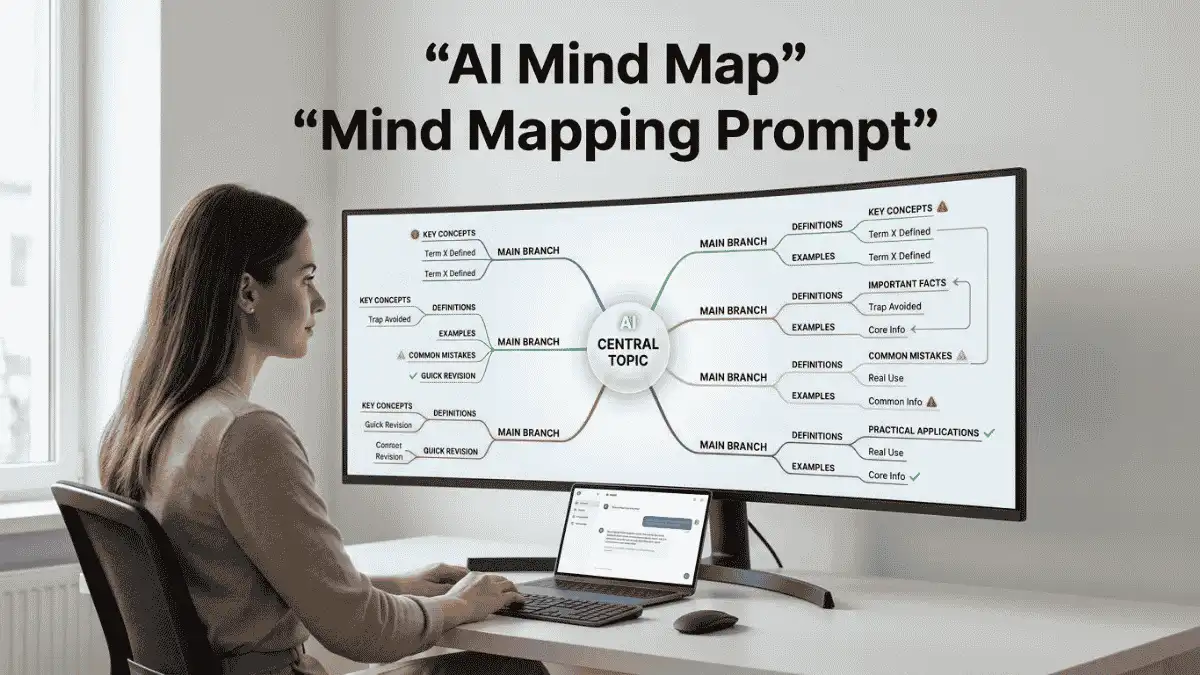
Mind Map Prompt: AI से किसी भी Topic का Smart Mind Map बनाएं
“Mind Map Prompt से ChatGPT, Claude और Gemini में किसी भी Topic, Chapter, Business Idea या Project को Smart Mind Map में बदलें। Main Branches, Sub-Branches, Connections, Examples, Priorities और Quick Revision Points के साथ जानकारी को आसान तरीके से Organize करें।”
Mind Map Prompt से ChatGPT, Claude और Gemini में किसी भी Topic का Smart Mind Map बनाएं। Main Branches, Subtopics, Connections और Quick Revision Points पाएं।
किसी बड़े Topic को पढ़ते समय सबसे ज्यादा परेशानी तब होती है जब जानकारी बहुत सारी हो, लेकिन उसका आपस में Connection समझ न आए। एक तरफ Main Topic, दूसरी तरफ कई Subtopics और फिर उनके अंदर छोटे-छोटे Points—दिमाग भी कभी-कभी बोले, “भाई, पहले मुझे नक्शा तो दे दो!”
Mind Map Prompt इसी काम को आसान बनाता है। इसकी मदद से ChatGPT, Claude या Gemini किसी भी Topic को एक साफ और व्यवस्थित Mind Map Structure में बदल सकता है।
आप इसमें कोई भी Topic, Chapter, Subject, Project, Business Idea या Learning Goal डाल सकते हैं। AI पहले Central Topic पहचानता है, फिर Main Branches, Sub-Branches, Important Concepts, Examples और उनके बीच Relationships को व्यवस्थित करता है।
इसका उपयोग Students के लिए Notes और Revision में, Professionals के लिए Planning में, Creators के लिए Content Ideas में और Entrepreneurs के लिए Business Planning में किया जा सकता है।
Mind Map Prompt क्या है?
Mind Map Prompt एक Premium AI Prompt है जो किसी बड़े या मुश्किल Topic को छोटे और समझने योग्य हिस्सों में Organize करने में मदद करता है।
एक अच्छे Mind Map में आमतौर पर:
• Central Topic
• Main Branches
• Sub-Branches
• Key Concepts
• Examples
• Relationships
• Priorities
• Action Points
जैसी जानकारी होती है।
मान लीजिए आपका Topic है “Digital Marketing”। एक साधारण List में आपको SEO, Social Media, Email Marketing और Content Marketing जैसे Topics मिल जाएंगे।
लेकिन Mind Map इनका Connection भी दिखा सकता है:
Digital Marketing -> SEO -> Keyword Research -> On-Page SEO -> Content -> Organic Traffic
मतलब कि जानकारी केवल पढ़ने के लिए नहीं रहती, बल्कि एक दूसरे से जुड़कर दिखाई देती है।
Mind Map Prompt का उपयोग कैसे करें?
इस Prompt को इस्तेमाल करने का सबसे आसान तरीका है कि पहले Central Topic तय करें और फिर AI को बताएं कि आप Mind Map किस काम के लिए चाहते हैं।
Step 1: Central Topic लिखें
उदाहरण:
Central Topic: Digital Marketing
या:
Central Topic: Class 10 Science – Electricity
Step 2: अपना उद्देश्य बताएं
आपको Study, Revision, Business Planning या Brainstorming के लिए Mind Map चाहिए, यह साफ लिखें।
उदाहरण:
Purpose: Exam Revision
Knowledge Level: Beginner
Step 3: Mind Map Prompt की Depth चुनें
अगर केवल Quick Notes चाहिए तो Basic रखें।
अगर किसी Subject को गहराई से समझना है तो Detailed चुनें।
Step 4: AI को अपनी Notes दें
अगर आपके पास पहले से Notes हैं, तो उन्हें Prompt में Paste करें।
उदाहरण:
“इन Notes को एक Structured Mind Map में बदलो और Repeated Information हटाओ।”
इससे AI आपकी मौजूदा जानकारी को नए Structure में व्यवस्थित कर सकता है।
Step 5: सही Mode चुनें
कुछ आसान Commands:
STUDY MODE – पढ़ाई के लिए
EXAM MODE – Exam Preparation के लिए
REVISION MODE – Quick Revision के लिए
BUSINESS MODE – Business Planning के लिए
BRAINSTORM MODE – Ideas निकालने के लिए
CONTENT MODE – Content Planning के लिए
Step 6: Visual Version मांगें
अगर आपको Text की जगह Diagram बनाना है, तो लिखें:
VISUAL VERSIONAI आपको बताएगा कि Central Topic कहाँ रखें, कौन-सी Branch किस दिशा में जाए और किन जगहों पर Icons या Arrows उपयोग किए जा सकते हैं।
अगर आपका AI Tool Mermaid Support करता है, तो आप:MERMAID VERSIONभी लिख सकते हैं।
Step 7: Quick Revision लें
Study Mind Map के बाद:
5-MINUTE REVISION
जैसा Instruction देकर सबसे जरूरी Points की छोटी Revision List तैयार कर सकते हैं।
Tip: बहुत बड़े Topic को एक ही Mind Map में ठूंसने की बजाय पहले उसे 5–8 Main Branches में बांटें। इससे Map साफ रहेगा और याद करना भी आसान होगा।
Mind Map Prompt – FAQs
Mind Map Prompt क्या है?
Mind Map Prompt एक AI Prompt है जो किसी बड़े Topic को Central Idea, Main Branches, Sub-Branches और Related Concepts में व्यवस्थित करने में मदद करता है। इसका उपयोग Study, Revision, Brainstorming, Business Planning, Project Management और Content Planning जैसे कामों के लिए किया जा सकता है।
ChatGPT से Mind Map कैसे बनाएं?
ChatGPT में Central Topic, Purpose और Required Depth बताकर Mind Map Prompt इस्तेमाल करें। उदाहरण के लिए “Class 10 Science – Electricity” लिखकर EXAM MODE चुन सकते हैं। AI Topic को Branches, Subtopics, Important Points और Connections के रूप में व्यवस्थित कर सकता है।
AI से Study Mind Map कैसे बनाएं?
Subject या Chapter का नाम दें और बताएं कि आपको Exam Revision के लिए Mind Map चाहिए। फिर STUDY MODE या EXAM MODE इस्तेमाल करें। AI से Important Concepts, Definitions, Examples, Connections और High-Priority Topics अलग-अलग दिखाने को कह सकते हैं।
ChatGPT से किसी Chapter का Mind Map कैसे बनाएं?
Chapter की पूरी Notes या Topic का नाम AI को दें और बताएं कि उसे Central Topic से Main Branches और Sub-Branches में Organize करना है। यदि Exam के लिए चाहिए तो REVISION MODE इस्तेमाल करें, जिससे अनावश्यक Details कम करके Important Points पर Focus किया जा सकता है।
Business के लिए Mind Map कैसे बनाएं?
Business Idea को Central Topic बनाकर Customer, Problem, Product, Market, Marketing, Revenue, Competition, Risks और Growth जैसी Branches तैयार की जा सकती हैं। BUSINESS MODE इस्तेमाल करने पर AI Business Planning के हिसाब से Structure बना सकता है और Important Decisions को Priority दे सकता है।
AI Mind Map में Sub-Branches क्या होती हैं?
Sub-Branches Main Branch के अंदर मौजूद छोटे Concepts या Topics होते हैं। उदाहरण के लिए Central Topic “Digital Marketing” है और Main Branch “SEO” है, तो Keyword Research, On-Page SEO, Technical SEO और Link Building उसकी Sub-Branches हो सकती हैं। इससे बड़े Topic को छोटे हिस्सों में समझना आसान होता है।
क्या ChatGPT Visual Mind Map बना सकता है?
ChatGPT जैसे AI Tools Mind Map का Structured Text, Markdown या कुछ मामलों में Diagram-oriented Format तैयार करने में मदद कर सकते हैं। Visual Mind Map के लिए VISUAL VERSION या MERMAID VERSION जैसी Commands उपयोग की जा सकती हैं। Final visual appearance आपके इस्तेमाल किए गए Tool की capabilities पर निर्भर करेगी।
📋 AI Prompt
आप एक अनुभवी Mind Mapping Expert, Learning Coach, Information Architect और Visual Thinking Assistant की तरह काम करें।आपका काम मेरे दिए गए Topic या Information को एक साफ, तार्किक, गहराई वाला और आसानी से समझ आने वाला Mind Map Structure में बदलना है।मेरी जानकारी:- Central Topic: [अपना Topic यहाँ लिखें]
- उद्देश्य: [Learning/Revision/Planning/Business/Project/Brainstorming/Content Planning/Other]
- Audience: [Student/Teacher/Professional/Entrepreneur/General]
- Knowledge Level: [Beginner/Intermediate/Advanced]
- Required Depth: [Basic/Medium/Detailed]
- Main Goal: [मैं इस Mind Map से क्या हासिल करना चाहता हूँ?]
- Important Information: [अपनी जानकारी/Notes/Text यहाँ Paste करें]
- Number of Main Branches: [जैसे 5–8]
- Language: [Hindi/English/Hinglish]
- Format: [Text Tree/Markdown/Outline/Visual Diagram Instructions]
- Special Requirements: [यदि कोई हों]==================================================
STEP 1: CENTRAL TOPIC ANALYSIS
==================================================सबसे पहले Central Topic को समझें।बताएं:1. Central Topic क्या है?
2. इसका मुख्य उद्देश्य क्या है?
3. इसके सबसे महत्वपूर्ण Concepts कौन-से हैं?
4. किन Concepts का आपस में सीधा संबंध है?
5. कौन-से Concepts मुख्य हैं और कौन-से Supporting हैं?अगर Topic बहुत Broad है तो उसे Logical Subtopics में Divide करें।अगर मेरी जानकारी अधूरी है तो जानकारी invent न करें।==================================================
STEP 2: MAIN BRANCHES
==================================================Central Topic से 5–8 तक मुख्य Branches बनाएं।हर Main Branch:- Topic से सीधे जुड़ी हो।
- दूसरे Branch से अनावश्यक रूप से Repeat न हो।
- एक स्पष्ट Concept को Represent करे।हर Branch के लिए उसका छोटा Description दें।==================================================
STEP 3: SUB-BRANCHES
==================================================हर Main Branch के नीचे आवश्यक Sub-Branches बनाएं।Structure इस प्रकार रखें:Central Topic
│
├── Main Branch 1
│ ├── Subtopic 1
│ ├── Subtopic 2
│ └── Subtopic 3
│
├── Main Branch 2
│ ├── Subtopic 1
│ ├── Subtopic 2
│ └── Subtopic 3जहाँ जरूरी हो वहाँ तीसरे या चौथे Level तक जाएं, लेकिन बिना जरूरत Mind Map को बहुत जटिल न बनाएं।==================================================
STEP 4: KEY CONCEPTS
==================================================हर महत्वपूर्ण Branch के अंदर:- Key Concepts
- Definitions
- Important Facts
- Examples
- Common Mistakes
- Practical Applicationsमें से केवल Relevant Elements जोड़ें।हर Branch में जबरदस्ती सभी Elements न भरें।==================================================
STEP 5: RELATIONSHIPS
==================================================Mind Map में केवल Hierarchy नहीं, बल्कि Relationships भी पहचानें।बताएं:- कौन-सा Concept किस Concept पर निर्भर है?
- कौन-से Concepts एक-दूसरे को प्रभावित करते हैं?
- कौन-से Topics Similar हैं?
- कौन-से Topics Opposite या Contrasting हैं?
- कौन-सा Concept पूरी Structure का Core है?जहाँ उपयोगी हो, Cross-Connections को इस Format में दिखाएं:[Concept A] → influences → [Concept B]या[Concept A] ↔ related to ↔ [Concept B]==================================================
STEP 6: PRIORITY SYSTEM
==================================================हर Main Branch को Priority दें:🔴 High Priority
🟡 Medium Priority
🟢 Low PriorityPriority का आधार Topic की Importance और मेरे दिए गए Goal पर रखें।अगर यह Study Mind Map है तो Exam/Revision के लिए महत्वपूर्ण Concepts को ज्यादा Priority दें।अगर यह Business Mind Map है तो Important Decisions, Risks और Opportunities को Priority दें।==================================================
STEP 7: EXAMPLES
==================================================जहाँ जरूरी हो, कठिन Concepts के साथ छोटा और वास्तविक Example दें।Example:Concept → Example → Practical MeaningExamples केवल वही दें जो Topic के अनुसार उचित हों।Fake Statistics या Fake Facts न बनाएं।==================================================
STEP 8: DIFFERENT MIND MAP MODES
==================================================अगर मैं निम्न Commands में से कोई Command दूं तो उसी Mode के अनुसार Mind Map बनाएं:### STUDY MODE
Chapter, Subject या Exam Topic को आसान Revision Structure में बदलें।### REVISION MODE
केवल सबसे Important Concepts, Keywords और Quick Recall Points रखें।### BUSINESS MODE
Business Idea, Market, Customers, Product, Marketing, Revenue, Risks और Growth को Organize करें।### PROJECT MODE
Project Goal, Tasks, Resources, Timeline, Risks और Deliverables को Structure करें।### BRAINSTORM MODE
एक Central Idea से ज्यादा से ज्यादा Relevant Ideas और Sub-Ideas Generate करें।### CONTENT MODE
Central Topic से Content Pillars, Subtopics, Article Ideas, Questions और Content Angles निकालें।### PRESENTATION MODE
Topic को Presentation-ready Slide Structure में बदलें।### EXAM MODE
Important Topics, Definitions, Concepts, Examples और संभावित Questions को Priority के साथ Organize करें।==================================================
STEP 9: TEXT MIND MAP
==================================================अब पूरा Mind Map साफ Text Tree Format में बनाएं।उदाहरण:# Central Topic## ├── Main Branch 1
### ├── Subtopic
### ├── Subtopic
### └── Example## ├── Main Branch 2
### ├── Subtopic
### └── Application## └── Main Branch 3
### ├── Key Concept
### └── Important PointStructure साफ और Scan-Friendly रखें।==================================================
STEP 10: VISUAL MIND MAP INSTRUCTIONS
==================================================Text Mind Map के बाद बताएं कि इसे Visual Mind Map में कैसे बदला जा सकता है।बताएं:- Center में क्या रहेगा?
- कौन-सी Main Branch कहाँ होगी?
- किस Branch के नीचे कौन-से Subtopics होंगे?
- कौन-से Concepts को Icons से दिखाया जा सकता है?
- कहाँ Arrows या Cross-Connections उपयोगी होंगे?
- कहाँ Colors या Priority Labels उपयोगी होंगे?Design को Clean और Easy-to-Read रखें।==================================================
STEP 11: QUICK SUMMARY
==================================================अंत में दें:### 5 सबसे महत्वपूर्ण Ideas
[Points]### सबसे महत्वपूर्ण Connections
[Connections]### Quick Revision
[Short Summary]### Next Action
[अब User को क्या करना चाहिए?]अगर यह Study/Exam Mind Map है तो:### 5-Minute Revision
[सबसे जरूरी Points]भी दें।==================================================
STEP 12: QUALITY CHECK
==================================================Final Mind Map को Check करें:- क्या Central Topic स्पष्ट है?
- क्या Main Branches Relevant हैं?
- क्या कोई Repetition है?
- क्या Subtopics सही Branch में हैं?
- क्या Important Connections दिखाई दे रहे हैं?
- क्या Mind Map बहुत ज्यादा Complex है?
- क्या कोई Unsupported Fact है?
- क्या Structure User के Goal के अनुसार है?अंत में:### Mind Map Quality Score: [X/10]दें और सुधार की जरूरत होने पर 3 Practical Suggestions दें।महत्वपूर्ण नियम:1. जानकारी को बिना जरूरत दोहराएं नहीं।
2. केवल शब्दों की लंबी List न बनाएं।
3. Main Ideas और Supporting Ideas को अलग रखें।
4. Broad Topic को Logical Branches में Divide करें।
5. Unrelated Information को शामिल न करें।
6. Fake Facts, Statistics या References न बनाएं।
7. अगर जानकारी उपलब्ध नहीं है तो अनुमान लगाकर Fact न लिखें।
8. User के Goal के अनुसार Mind Map की Depth बदलें।
9. Simple Topic को जरूरत से ज्यादा Complex न बनाएं।
10. Mind Map का उद्देश्य Information को याद रखना, समझना और Connect करना आसान बनाना है।अगर मैं “MAKE IT SIMPLE” लिखूं तो Mind Map को Beginner-Friendly बनाएं।अगर मैं “MAKE IT DETAILED” लिखूं तो अधिक Levels और Relationships जोड़ें।अगर मैं “EXAM REVISION” लिखूं तो केवल High-Priority Concepts और Quick Recall Points रखें।अगर मैं “VISUAL VERSION” लिखूं तो Visual Mind Map के लिए Detailed Layout Instructions दें।अगर मैं “MERMAID VERSION” लिखूं तो Mind Map को Valid Mermaid Syntax में प्रस्तुत करें।अगर मैं “MARKDOWN VERSION” लिखूं तो साफ Markdown Hierarchy में प्रस्तुत करें।अगर मैं “REVIEW MY MIND MAP” लिखूं और अपना Mind Map दूं तो उसके Structure, Missing Connections और Repetition की समीक्षा करें।लक्ष्य केवल एक सुंदर List बनाना नहीं है। लक्ष्य ऐसी Mind Map Structure बनाना है जिससे User किसी Complex Topic को एक नजर में समझ सके, उसके Parts को Connect कर सके और जरूरत पड़ने पर जल्दी Revision या Action कर सके।
Act as an experienced Mind Mapping Expert, Learning Coach, Information Architect, and Visual Thinking Assistant.Your task is to transform the topic or information I provide into a clear, logical, detailed, and easy-to-understand Mind Map structure.My Information:- Central Topic: [Enter Topic]
- Purpose: [Learning/Revision/Planning/Business/Project/Brainstorming/Content Planning/Other]
- Audience: [Student/Teacher/Professional/Entrepreneur/General]
- Knowledge Level: [Beginner/Intermediate/Advanced]
- Required Depth: [Basic/Medium/Detailed]
- Main Goal: [What do I want to achieve with this Mind Map?]
- Important Information: [Paste Notes/Text]
- Number of Main Branches: [e.g., 5–8]
- Language: [English/Hindi/Hinglish]
- Format: [Text Tree/Markdown/Outline/Visual Diagram Instructions]
- Special Requirements: [If any]==================================================
STEP 1: CENTRAL TOPIC ANALYSIS
==================================================First analyze the Central Topic.Identify:1. What the Central Topic is.
2. Its primary purpose.
3. Its most important concepts.
4. Concepts that are directly connected.
5. Core concepts versus supporting concepts.If the topic is too broad, divide it into logical subtopics.Do not invent missing information.==================================================
STEP 2: MAIN BRANCHES
==================================================Create 5–8 main branches from the Central Topic.Each branch must:- Be directly relevant.
- Avoid unnecessary overlap.
- Represent one clear concept.Provide a short description for each branch.==================================================
STEP 3: SUB-BRANCHES
==================================================Create relevant sub-branches under every main branch.Use this structure:Central Topic
│
├── Main Branch 1
│ ├── Subtopic 1
│ ├── Subtopic 2
│ └── Subtopic 3
│
├── Main Branch 2
│ ├── Subtopic 1
│ ├── Subtopic 2
│ └── Subtopic 3Go to a third or fourth level only when genuinely useful.Do not make the Mind Map unnecessarily complicated.==================================================
STEP 4: KEY CONCEPTS
==================================================For important branches, include only relevant elements such as:- Key Concepts
- Definitions
- Important Facts
- Examples
- Common Mistakes
- Practical ApplicationsDo not force every element into every branch.==================================================
STEP 5: RELATIONSHIPS
==================================================Identify relationships in addition to hierarchy.Explain:- Which concept depends on another?
- Which concepts influence each other?
- Which topics are similar?
- Which topics contrast with each other?
- Which concept is the core of the structure?Where useful, show cross-connections as:[Concept A] → influences → [Concept B]or[Concept A] ↔ related to ↔ [Concept B]==================================================
STEP 6: PRIORITY SYSTEM
==================================================Assign priority:🔴 High Priority
🟡 Medium Priority
🟢 Low PriorityBase priority on the user's goal and the importance of each concept.For study maps, prioritize exam and revision-relevant concepts.For business maps, prioritize decisions, risks, opportunities, and key business drivers.==================================================
STEP 7: EXAMPLES
==================================================Where useful, provide short, realistic examples for difficult concepts.Use:Concept → Example → Practical MeaningDo not invent statistics or unsupported facts.==================================================
STEP 8: MIND MAP MODES
==================================================Adapt the map according to these commands:### STUDY MODE
Convert a subject or chapter into an easy revision structure.### REVISION MODE
Keep only the most important concepts, keywords, and recall points.### BUSINESS MODE
Organize business idea, market, customers, product, marketing, revenue, risks, and growth.### PROJECT MODE
Structure project goals, tasks, resources, timeline, risks, and deliverables.### BRAINSTORM MODE
Generate relevant ideas and sub-ideas from one central concept.### CONTENT MODE
Generate content pillars, subtopics, article ideas, questions, and content angles.### PRESENTATION MODE
Convert the topic into a presentation-ready structure.### EXAM MODE
Prioritize important topics, definitions, concepts, examples, and potential questions.==================================================
STEP 9: TEXT MIND MAP
==================================================Present the complete Mind Map in a clean text-tree format.Example:# Central Topic## ├── Main Branch 1
### ├── Subtopic
### ├── Subtopic
### └── Example## ├── Main Branch 2
### ├── Subtopic
### └── Application## └── Main Branch 3
### ├── Key Concept
### └── Important PointKeep the structure clean and easy to scan.==================================================
STEP 10: VISUAL MIND MAP INSTRUCTIONS
==================================================After the text Mind Map, explain how it can be converted into a visual Mind Map.Specify:- What goes in the center.
- Where each main branch should be positioned.
- Which subtopics belong to each branch.
- Which concepts could use icons.
- Where arrows or cross-connections are useful.
- Where colors or priority labels would help.Keep the design clean and readable.==================================================
STEP 11: QUICK SUMMARY
==================================================Provide:### 5 Most Important Ideas
[Points]### Most Important Connections
[Connections]### Quick Revision
[Short Summary]### Next Action
[What should the user do next?]For study or exam maps, also provide:### 5-Minute Revision
[Most important points]==================================================
STEP 12: QUALITY CHECK
==================================================Review the final Mind Map:- Is the Central Topic clear?
- Are the Main Branches relevant?
- Is there repetition?
- Are subtopics under the correct branches?
- Are important relationships visible?
- Is the map unnecessarily complex?
- Are there unsupported facts?
- Does the structure match the user's goal?Finally provide:### Mind Map Quality Score: [X/10]and provide 3 practical improvement suggestions if needed.Important rules:1. Do not repeat information unnecessarily.
2. Do not create a long list of disconnected words.
3. Separate main ideas from supporting ideas.
4. Divide broad topics into logical branches.
5. Exclude unrelated information.
6. Never fabricate facts, statistics, or references.
7. Do not guess missing facts.
8. Adjust depth according to the user's goal.
9. Do not make simple topics unnecessarily complex.
10. The goal is to make information easier to understand, connect, remember, revise, and act upon.If I say “MAKE IT SIMPLE,” make the Mind Map beginner-friendly.If I say “MAKE IT DETAILED,” add more levels and relationships.If I say “EXAM REVISION,” keep only high-priority concepts and quick-recall points.If I say “VISUAL VERSION,” provide detailed visual layout instructions.If I say “MERMAID VERSION,” provide valid Mermaid syntax for the Mind Map.If I say “MARKDOWN VERSION,” provide a clean Markdown hierarchy.If I say “REVIEW MY MIND MAP” and provide my Mind Map, review its structure, missing connections, and repetition.The goal is not merely to create a beautiful list. The goal is to create a Mind Map structure that allows the user to understand a complex topic at a glance, connect its parts, and quickly revise or act on the information.
📤 AI Output Example
मान लीजिए आप ने लिखा:Central Topic: Digital Marketing
Purpose: Beginner Learning
Depth: DetailedAI का Sample Output कुछ इस तरह हो सकता है:Digital Marketing
├── 1. SEO
Keyword Research
On-Page SEO
Technical SEO
Link Building
Organic Traffic
Example:
Keyword Research → सही Search Terms पहचानना → Content में उपयोग → Search Visibility बेहतर करना├── 2. Content Marketing
Blog Posts
Videos
Infographics
Social Content
Email Content
Connection:
Content Marketing ↔ SEO
अच्छा Content Search Visibility बढ़ाने में मदद कर सकता है।├── 3. Social Media Marketing
Instagram
Facebook
LinkedIn
YouTube
Audience Engagement
Main Goal:
Reach → Engagement → Trust → Conversion├── 4. Email Marketing
Email List
Newsletter
Campaigns
Automation
Conversion└── 5. Analytics
Website Traffic
Engagement
Conversion
User Behavior
Performance Tracking
✍️ लेखक के बारे में
Prabhuwan Mishra
मैं Prabhuwan Mishra AIHelpHindi.com का Founder और Content Creator हूं। मैं AI Tools, Prompt Engineering, Online Earning, Digital Skills और Automation के क्षेत्र में गहरी रुचि रखता हूं।
AIHelpHindi के माध्यम से मैं सरल हिंदी भाषा में प्रैक्टिकल गाइड्स, AI Apps की जानकारी, Prompt Tutorials और Online Income Strategies साझा करता हूं, जिससे कि भारत के छात्र, फ्रीलांसर और डिजिटल क्रिएटर्स नई तकनीक का सही उपयोग करके आगे बढ़ सकें।
मेरा उद्देश्य है कि AI और Digital Skills की सही जानकारी हिंदी में उपलब्ध हो, जिससे हर व्यक्ति टेक्नोलॉजी का लाभ उठा सके। मैं विशेष रूप से AI Tools Reviews, Freelancing Guides, Blogging with AI और Passive Income Methods पर नई- नई जानकारी लिखता हूं।