Free Online Tools in Hindi – Daily Use के लिए सभी जरूरी Free Tools
Free online tools in Hindi for daily use की useful list देखें। बिना signup वाले tools, content creator tools और website tools एक जगह पाएँ और काम करें।
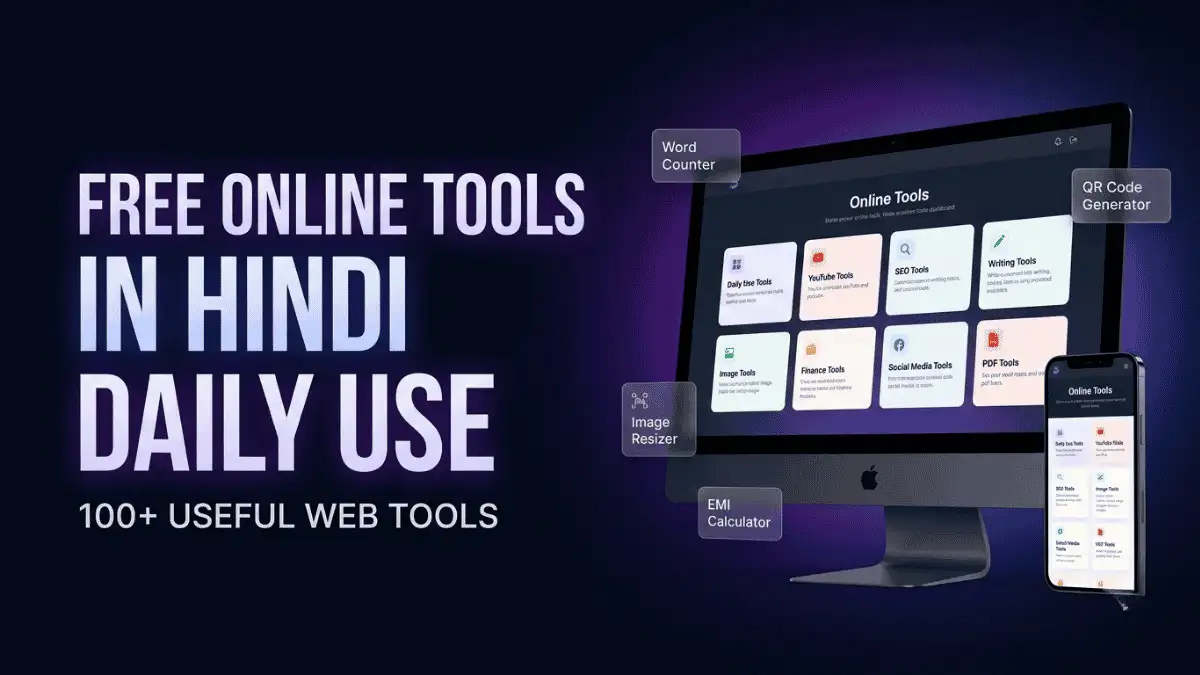
कल्पना कीजिए, आपको एक छोटा-सा digital काम करना है—image resize करनी है, words count करने हैं, QR code बनाना है, YouTube thumbnail डाउनलोड करनी है या EMI calculate करनी है। ऐसे में हर बार अलग software install करना या सही website खोजते रहना काफी समय ले सकता है।
यहीं एक अच्छी free online tools collection आपके काम आती है।
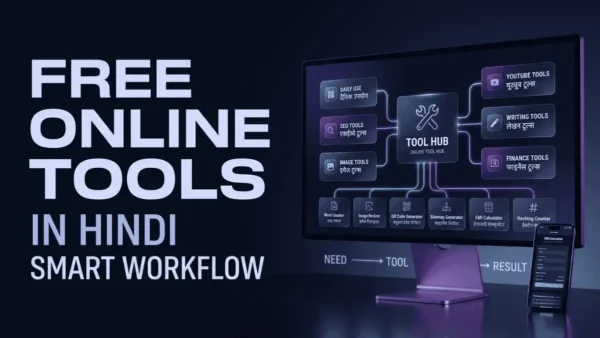
इस pillar page पर आपको free online tools in Hindi for daily use की ऐसी category-wise collection मिलेगी, जहां writing, YouTube, SEO, website management, images, social media, PDF और finance जैसे अलग-अलग कामों के लिए useful tools एक ही जगह मिल सकते हैं।
चाहे आप beginner blogger हों, content creator, YouTuber, freelancer या website owner—आप अपनी जरूरत के अनुसार सीधे relevant tool तक जा सकते हैं।
साथ ही, आपको यह भी समझने को मिलेगा कि कौन-सा tool किस काम आता है, उसे कब इस्तेमाल करना चाहिए और free या no-signup जैसे claims को इस्तेमाल करने से पहले किन बातों की जांच करनी चाहिए।
अगर आप रोज़ाना के डिजिटल कामों के लिए एक भरोसेमंद और हिंदी में समझने वाला प्लेटफॉर्म ढूँढ रहे हैं, तो AiHelpHindi मे आपको AI टूल्स, प्रॉम्प्ट्स, ब्लॉगिंग और ऑनलाइन कमाई से जुड़ी सभी महत्वपूर्ण जानकारियाँ एक ही जगह पर उपलब्ध कराता है, जहाँ से आप अपनी डिजिटल यात्रा की शुरुआत कर सकते हैं।
Free Online Tools क्या होते हैं?
Free online tools ऐसे web-based tools होते हैं जिन्हें browser के माध्यम से किसी specific काम को पूरा करने के लिए इस्तेमाल किया जाता है।
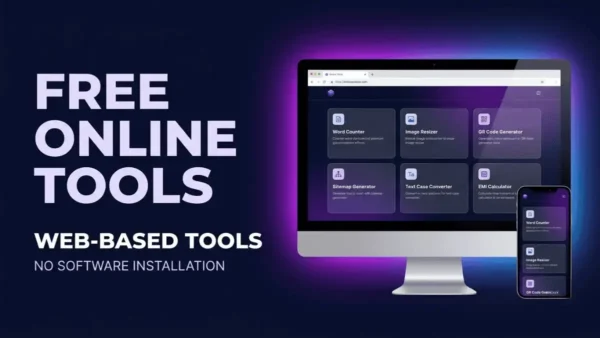
इनका सबसे बड़ा फायदा यह है कि आमतौर पर आपको कोई बड़ा software download या install करने की जरूरत नहीं पड़ती।
उदाहरण के लिए:
- Word Count करना है → Word Counter
- Image का size बदलना है → Image Resizer
- QR Code बनाना है → QR Code Generator
- YouTube thumbnail निकालना है → YouTube Thumbnail Downloader
- Website sitemap बनाना है → Sitemap Generator
- Text को uppercase/lowercase करना है → Text Case Converter
- EMI calculate करनी है → EMI Calculator
यानी एक बड़े software की जगह आप अपने specific काम के लिए एक lightweight online tool इस्तेमाल कर सकते हैं।
इन tools का उपयोग कौन कर सकता है?
ये tools केवल professional users के लिए नहीं हैं।
इनका इस्तेमाल:
- Students
- Bloggers
- YouTubers
- Content Creators
- Freelancers
- Website Owners
- Digital Marketers
- Small Business Owners
- Social Media Managers
- Developers
- सामान्य internet users
कर सकते हैं।
यदि आप ऐसे और भी टूल्स जानना चाहते हैं जो बिना किसी सॉफ्टवेयर इंस्टॉलेशन के ब्राउज़र में ही काम करते हैं, तो “Free AI Tools” कैटेगरी में आपको छोटे-बड़े हर काम के लिए उपयोगी ऑनलाइन टूल्स की विस्तृत लिस्ट मिलती है, जिसमें हर टूल का उपयोग, फायदे और सीमाएँ स्पष्ट रूप से बताई गई हैं।
Free Online Tools for Daily Use
अगर आप ऐसे tools खोज रहे हैं जिन्हें रोजमर्रा के digital कामों में इस्तेमाल किया जा सके, तो नीचे दिए गए tools से शुरुआत कर सकते हैं।
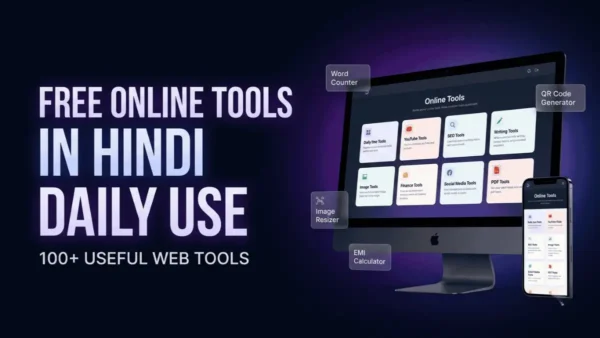
🛠️ Daily Use Tools
| Tool | किस काम आता है? | किसके लिए उपयोगी है? |
|---|---|---|
| Word Counter | Words, characters आदि count करने के लिए | Students, Writers, Bloggers |
| Text Case Converter | Text को uppercase, lowercase आदि में बदलने के लिए | Writers, Students, Creators |
| Image Resizer | Image dimensions बदलने के लिए | Bloggers, Creators |
| QR Code Generator | Text, URL आदि का QR code बनाने के लिए | Everyone |
| Fancy Text Generator | Stylish text बनाने के लिए | Social Media Users |
| Color Palette Generator | Color combinations तैयार करने के लिए | Designers, Creators |
अगर आपको सिर्फ किसी छोटे task को जल्दी पूरा करना है, तो ऐसे dedicated tools काफी convenient हो सकते हैं।
🎬 Free Online Tools for YouTube Creators
YouTube creators को content बनाने के अलावा thumbnail, channel branding, hashtags और titles जैसे कई काम भी करने पड़ते हैं।
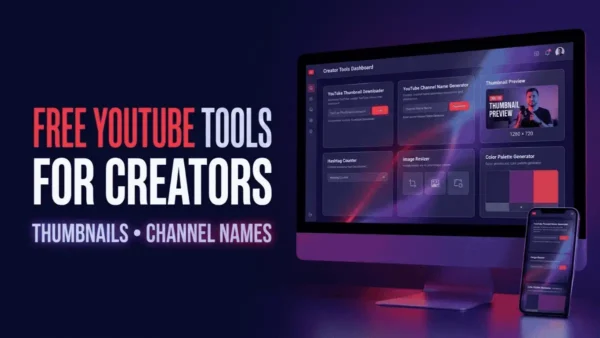
इन tasks के लिए dedicated tools workflow को आसान बना सकते हैं।
YouTube Thumbnail Downloader
किसी YouTube video की thumbnail image को access करने की जरूरत हो तो YouTube Thumbnail Downloader उपयोगी हो सकता है।
उदाहरण के लिए, आप किसी video की thumbnail reference के तौर पर देखना चाहते हैं या अपने content research में thumbnail styles compare करना चाहते हैं।
Tool: [YouTube Thumbnail Downloader]
इसका उपयोग किसके लिए है?
- YouTubers
- Thumbnail designers
- Content researchers
- Video marketers
ध्यान दें: किसी दूसरे creator की thumbnail को बिना अनुमति अपने commercial content में इस्तेमाल करने से पहले copyright और usage rights जरूर check करें।
YouTube Channel Name Generator
नया YouTube channel शुरू करते समय सबसे पहले आने वाली समस्याओं में से एक है—channel का नाम क्या रखें?
YouTube Channel Name Generator आपको niche और keywords के आधार पर name ideas generate करने में मदद कर सकता है।
उदाहरण:
अगर आपका niche है:
Tech + AI + Hindi
तो tool से आपको technology, AI और Hindi audience को ध्यान में रखते हुए कई naming ideas मिल सकते हैं।
Tool: [YouTube Channel Name Generator]
बेहतर channel name चुनते समय ध्यान रखें
- नाम छोटा रखें।
- बोलने और याद रखने में आसान हो।
- बहुत ज्यादा numbers न डालें।
- niche से relevant हो।
- किसी existing famous brand की exact copy न हो।
🔎 Free SEO Tools for Website Owners
Website चलाने वाले लोगों के लिए technical SEO और content optimization काफी महत्वपूर्ण हैं।
अगर आप blogger, website owner या SEO professional हैं, तो कुछ basic tasks के लिए dedicated online tools उपयोगी हो सकते हैं।
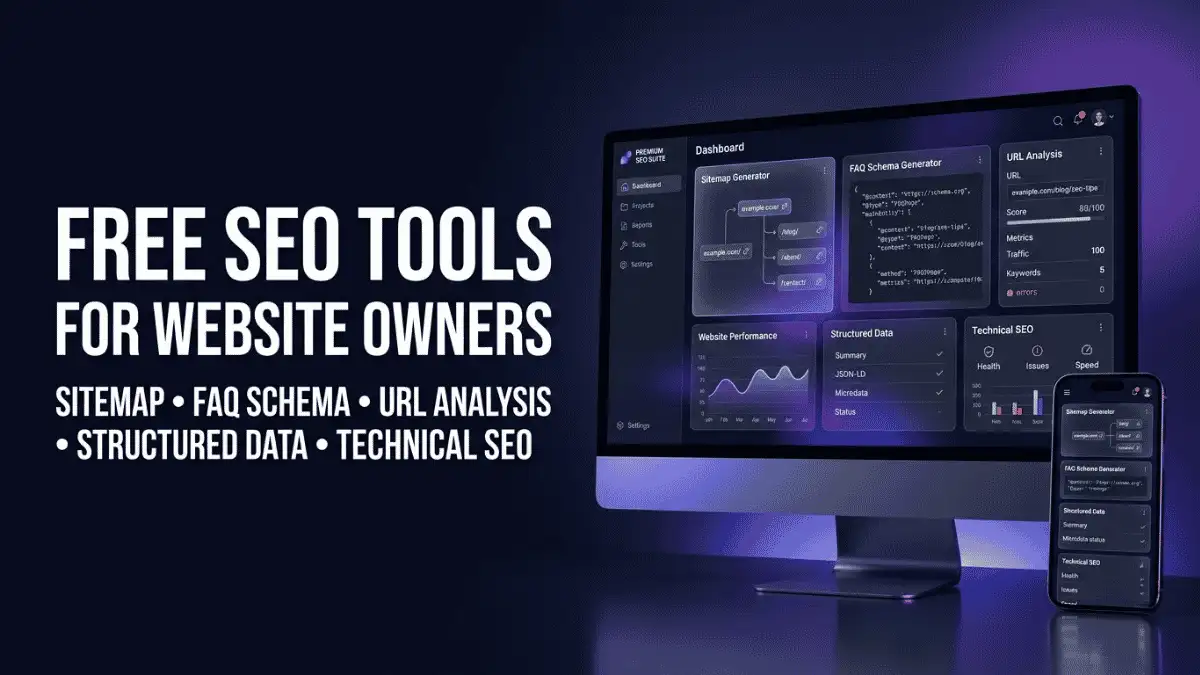
Sitemap Generator
Search engines को website के important URLs समझने में sitemap मदद करता है।
Sitemap Generator का उपयोग sitemap file तैयार करने के लिए किया जा सकता है।
Tool: [Sitemap Generator tool]
Sitemap किसके लिए useful है?
- Bloggers
- Website owners
- SEO beginners
- Developers
- Small businesses
उदाहरण
मान लीजिए आपकी website पर 100 important pages हैं।
एक sitemap उन URLs को structured तरीके से search engines के सामने उपलब्ध कराने में मदद कर सकता है।
लेकिन sitemap बनाना ही पूरी SEO strategy नहीं है। Robots.txt, canonical URLs, indexing और website architecture जैसे दूसरे technical SEO factors भी अलग से महत्वपूर्ण हो सकते हैं।
FAQ Schema Generator
अगर आपके article में genuine frequently asked questions हैं, तो structured data के लिए FAQ schema तैयार करने में FAQ Schema Generator मदद कर सकता है।
Tool: [FAQ Schema Generator tool]
उदाहरण के लिए:
Question: AI से blog कैसे लिखें?
Answer: AI की मदद से topic research, outline और initial draft तैयार किया जा सकता है। Final content को review और fact-check करना चाहिए।
ऐसे FAQ data को structured format में convert करने के लिए generator उपयोगी हो सकता है।
महत्वपूर्ण: Schema का इस्तेमाल केवल उसी content के लिए करें जो page पर वास्तव में मौजूद है और relevant structured-data guidelines को follow करता है। Schema लगाने से rich result मिलने की guarantee नहीं होती।
✍️ Free Online Writing Tools
Content creators और bloggers के लिए writing-related tools सबसे ज्यादा useful categories में से एक हैं।
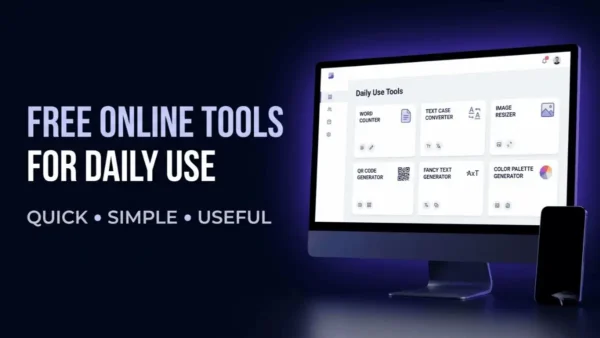
Word Counter
किसी article, assignment, social media caption या content draft में कितने words हैं, यह जानने के लिए Word Counter इस्तेमाल किया जा सकता है।
Tool: [Word Counter tool]
यह खास तौर पर उपयोगी है जब:
- Article की minimum length तय हो।
- Assignment में word limit हो।
- YouTube description तैयार करनी हो।
- Social media content छोटा रखना हो।
- किसी draft के characters count करने हों।
Example
अगर आपको 1,500 शब्दों का article लिखना है, तो Word Counter से आप तुरंत देख सकते हैं कि आपका draft target length के आसपास पहुंचा है या नहीं।
लेकिन केवल word count बढ़ाने के लिए unnecessary paragraphs जोड़ना अच्छी content strategy नहीं है।
Text Case Converter
कई बार copied या drafted text का capitalization सही नहीं होता।
Text Case Converter की मदद से text को अलग-अलग cases में बदलना आसान हो सकता है।
उदाहरण:
Original:
FREE ONLINE TOOLS FOR DAILY USE
इसे बदलकर:
Free Online Tools For Daily Use
या:
free online tools for daily use
जैसे format में किया जा सकता है।
Tool: [Text Case Converter]
यह writers, bloggers, students और social media creators के लिए useful utility है।
Fancy Text Generator
Social media posts, profiles, captions या creative content में अलग style का text इस्तेमाल करने के लिए Fancy Text Generator उपयोगी हो सकता है।
उदाहरण:
Hello
से अलग Unicode-style variations तैयार किए जा सकते हैं।
Tool: [Fancy Text Generator]
लेकिन fancy Unicode text को हर जगह इस्तेमाल करना जरूरी नहीं है। Website content, accessibility और readability के लिए normal text अक्सर बेहतर होता है।
🖼️ Free Online Image Tools
Blogging, YouTube और social media में images का सही size और format रखना जरूरी हो सकता है।
इस category में image-related tools आपके workflow को काफी आसान बना सकते हैं।
Image Resizer
अगर किसी image की dimensions बदलनी हों, तो image editing software खोलने की जरूरत हमेशा नहीं होती।
Image Resizer की मदद से image का width और height बदलने जैसे basic tasks किए जा सकते हैं।
Tool: [Image Resizer]
उदाहरण
मान लीजिए आपके पास:
2000 × 1200 px
की image है और आपको उसे:
1200 × 720 px
में इस्तेमाल करना है।
ऐसे basic resizing task के लिए online image resizer convenient हो सकता है।
Image resize करते समय ध्यान दें
- Aspect ratio maintain करें।
- जरूरत से ज्यादा compression न करें।
- Important images की quality check करें।
- Website के लिए appropriate dimensions रखें।
Color Palette Generator
Website, logo, social media graphics या thumbnails design करते समय सही colors चुनना मुश्किल हो सकता है।
Color Palette Generator related colors की palette तैयार करने में मदद कर सकता है।
Tool: [Color Palette Generator]
उदाहरण के लिए अगर आपके brand का primary color blue है, तो आप उसके साथ matching:
- Secondary color
- Accent color
- Background color
- Text color
जैसे combinations तैयार कर सकते हैं।
यह designers के साथ-साथ bloggers और website owners के लिए भी उपयोगी हो सकता है।
💰 Free Online Financial Calculators
Online calculators उन tools में आते हैं जिन्हें लोग specific calculation के लिए बार-बार इस्तेमाल कर सकते हैं।
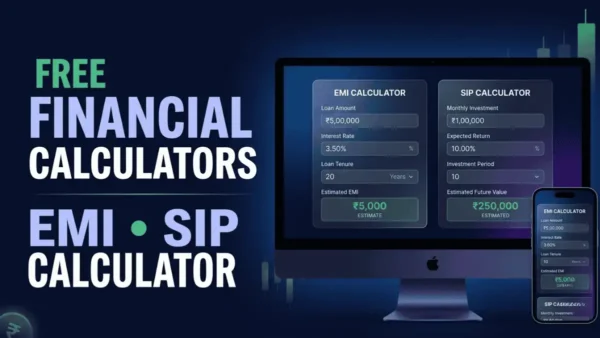
खासकर personal finance से जुड़े calculations में manual calculation करने की बजाय calculator useful हो सकता है।
EMI Calculator
अगर आप loan की estimated EMI जानना चाहते हैं तो EMI Calculator उपयोगी है।
आमतौर पर इसमें आपको:
- Loan Amount
- Interest Rate
- Loan Tenure
जैसी values enter करनी होती हैं।
इसके बाद calculator estimated monthly EMI निकाल सकता है।
Tool: [EMI Calculator]
Example
मान लीजिए:
- Loan Amount = ₹5,00,000
- Interest Rate = 10%
- Tenure = 5 years
Calculator इन inputs के आधार पर estimated EMI दिखा सकता है।
लेकिन actual loan repayment में processing fee, insurance, floating interest rate, taxes या lender-specific terms जैसे factors अलग हो सकते हैं।
इसलिए calculator result को estimate की तरह देखें और actual loan decision से पहले lender की official terms verify करें।
SIP Calculator
अगर आप mutual fund SIP investment की संभावित future value का अनुमान लगाना चाहते हैं, तो SIP Calculator मदद कर सकता है।
इसमें आमतौर पर:
- Monthly Investment
- Expected Return
- Investment Period
जैसे inputs लिए जाते हैं।
Tool: [SIP Calculator]
Example
मान लीजिए आप हर महीने ₹5,000 invest करने का hypothetical scenario देखना चाहते हैं।
आप investment amount, expected annual return और time period enter करके estimated future value देख सकते हैं।
लेकिन यहां एक बात बहुत जरूरी है:
Expected return guaranteed return नहीं होता।
Actual investment returns market performance के अनुसार बदल सकते हैं। इसलिए calculator result को financial projection/estimate की तरह समझें, guaranteed outcome की तरह नहीं।
EMI और SIP जैसी गणनाओं की सटीकता और नियामक जानकारी के लिए भारतीय रिजर्व बैंक (RBI) और भारतीय प्रतिभूति और विनिमय बोर्ड (SEBI) की आधिकारिक वेबसाइटों को देखना सर्वोत्तम है—ये स्रोत वित्तीय नियमों, ब्याज दरों और निवेश दिशानिर्देशों की विश्वसनीय जानकारी प्रदान करते हैं।
📱 Free Social Media Tools
आज content creation सिर्फ websites और blogs तक सीमित नहीं है।
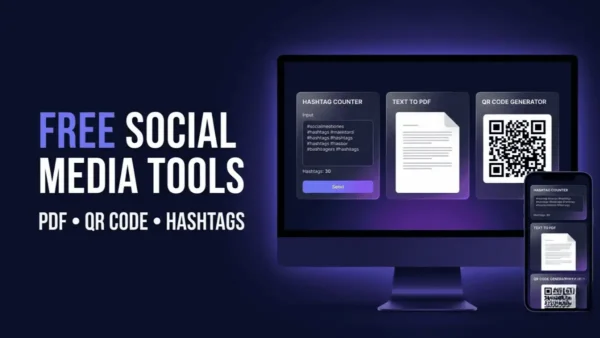
Social media creators को captions, hashtags और stylized text जैसे छोटे-छोटे tasks भी करने पड़ते हैं।
Hashtag Counter
अगर आप किसी social media content में hashtags की संख्या quickly check करना चाहते हैं तो Hashtag Counter उपयोगी हो सकता है।
Tool: [Hashtag Counter]
उदाहरण:
अगर आपके पास 30 hashtags की list है, तो manually count करने की बजाय tool से तुरंत count किया जा सकता है।
यह खास तौर पर useful है जब आप:
- Instagram content
- YouTube content
- Social media campaigns
- Hashtag research
जैसे tasks कर रहे हों।
हालांकि केवल ज्यादा hashtags डालना बेहतर reach की guarantee नहीं देता। Platform-specific hashtag practices और current recommendations को अलग से verify करना चाहिए।
📄 Free PDF & Document Tools
Documents के साथ काम करने वालों के लिए lightweight online utilities काफी useful हो सकती हैं।
Text to PDF
अगर आपके पास plain text है और उसे PDF document के रूप में save करना है, तो Text to PDF tool इस काम को आसान बना सकता है।
Tool: [Text to PDF]
इसका उपयोग कौन कर सकता है?
- Students
- Bloggers
- Freelancers
- Teachers
- Content creators
- Small businesses
उदाहरण के लिए आप:
Notes → PDF
या
Text content → Shareable PDF
में convert कर सकते हैं।
अगर document में sensitive या confidential information है, तो किसी भी online processing service पर data upload करने से पहले उसकी privacy policy और data handling practices जरूर verify करें।
🔳 QR Code Generator
QR codes आज websites, payments, menus, contact information और URLs share करने के लिए काफी common हैं।
QR Code Generator की मदद से किसी supported text या URL के लिए QR code बनाया जा सकता है।
Tool: [QR Code Generator]
Example
अगर आपकी website का URL है:
example.com
तो उसका QR code बनाया जा सकता है।
इसे:
- Poster
- Visiting Card
- Flyer
- Presentation
- Offline promotion
में इस्तेमाल किया जा सकता है।
QR code generate करने के बाद उसे अलग-अलग devices से scan करके test करना अच्छा practice है।
🧰 Content Creators के लिए Free Online Tools
अगर आप YouTuber, blogger या social media creator हैं, तो आपको अलग-अलग stages पर कई tools की जरूरत पड़ सकती है।
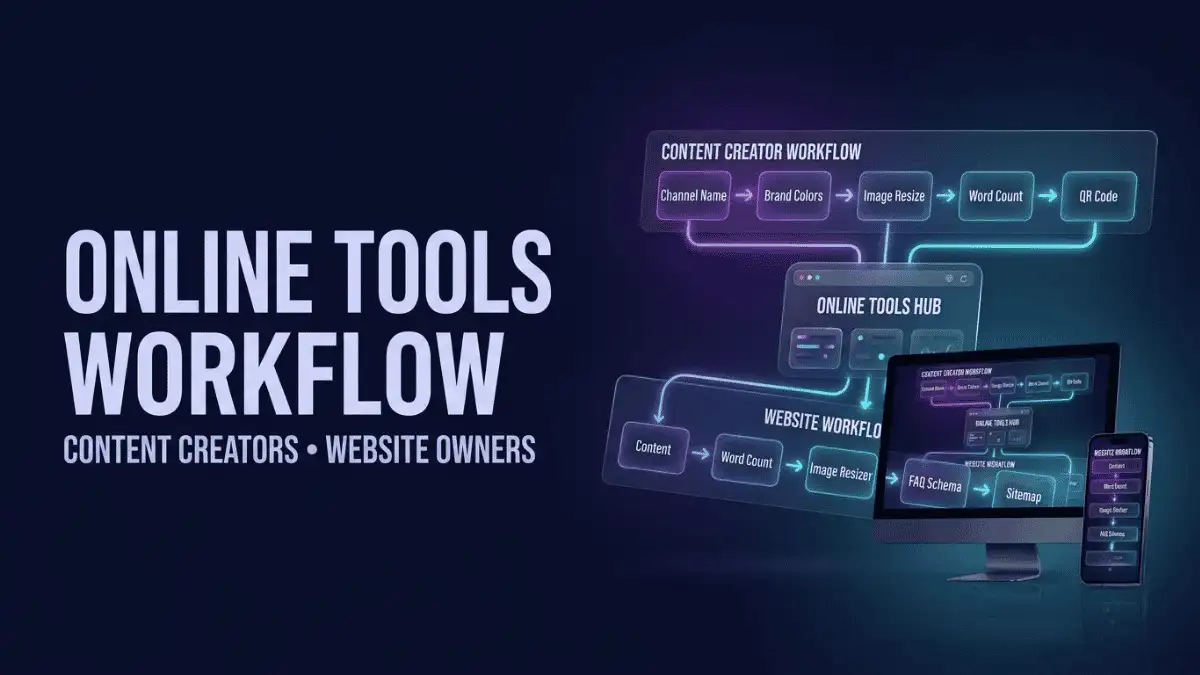
| काम | Recommended Tool |
| Thumbnail research | YouTube Thumbnail Downloader |
| Channel branding | YouTube Channel Name Generator |
| Content counting | Word Counter |
| Text formatting | Text Case Converter |
| Stylish social text | Fancy Text Generator |
| Image dimensions | Image Resizer |
| Color selection | Color Palette Generator |
| Hashtag counting | Hashtag Counter |
| QR sharing | QR Code Generator |
| Text document | Text to PDF |
एक practical workflow
मान लीजिए आप YouTube channel शुरू कर रहे हैं।
सबसे पहले:
Channel Name Generator → Channel Name Ideas
फिर:
Color Palette Generator → Brand Colors
फिर:
Image Resizer → Graphics तैयार करना
और content planning के दौरान:
Word Counter → Script Length Check
इस तरह अलग-अलग छोटे tools एक पूरे content workflow का हिस्सा बन सकते हैं।
यदि आप एक कंटेंट क्रिएटर हैं और AI की मदद से हिंदी ब्लॉग लेखन, कीवर्ड रिसर्च, आउटलाइन बनाने और SEO ऑप्टिमाइज़ेशन की पूरी प्रक्रिया सीखना चाहते हैं, तो “AI Se Hindi Blog Article Kaise Likhe” गाइड आपको स्टेप-बाय-स्टेप तरीका, प्रैक्टिकल प्रॉम्प्ट्स और एडिटिंग टिप्स देती है, जो आपकी कंटेंट क्वालिटी को काफी बेहतर बना सकती है।
🌐 Website Owners के लिए Free Online Tools
Website owners को केवल content writing की जरूरत नहीं होती।
उन्हें technical और optimization tasks भी संभालने पड़ते हैं।
आपका basic workflow कुछ ऐसा हो सकता है:
Content → Word Counter → Image Resizer → Sitemap Generator → FAQ Schema Generator
उदाहरण के लिए एक blogger ने नया article publish किया।
वह:
- Article की length Word Counter से check कर सकता है।
- Images को Image Resizer से appropriate dimensions में तैयार कर सकता है।
- Relevant FAQs identify कर सकता है।
- जरूरत होने पर FAQ Schema Generator से structured data तैयार कर सकता है।
- Website structure के अनुसार sitemap को manage कर सकता है।
ध्यान रखें कि कोई भी tool complete SEO strategy का replacement नहीं है।
Technical SEO में crawling, indexing, internal linking, canonicalization, page experience और कई दूसरे factors भी शामिल होते हैं।
वेबसाइट ओनर्स के लिए AI टूल्स को सही तरीके से इस्तेमाल करना भी उतना ही जरूरी है—हमारी गाइड “AI Tool Kaise Use Kare” में आपको AI-आधारित टूल्स चलाने, उनकी सेटिंग्स समझने और बेहतर परिणाम पाने के प्रैक्टिकल टिप्स मिलेंगे, जो आपके टूल वर्कफ्लो को और अधिक प्रभावी बना सकते हैं।
🆓 Free Online Tools Without Registration: क्या इसका मतलब हमेशा No Signup है?
“Free online tools without registration” और “free online tools without signup” जैसे keywords users काफी specific intent के साथ search कर सकते हैं।
लेकिन यहां एक important distinction है।
Free और No Registration एक ही चीज नहीं हैं।
किसी tool का free होना यह guarantee नहीं करता कि:
- Login की जरूरत नहीं होगी।
- Email नहीं मांगा जाएगा।
- Usage limit नहीं होगी।
- सभी features free होंगे।
- Generated files हमेशा available रहेंगी।
इसलिए individual tool use करने से पहले उसकी current requirements check करना चाहिए।
अगर आपके tool की current implementation में registration की आवश्यकता नहीं है, तभी tool page पर स्पष्ट रूप से “No Signup Required” या “No Registration” जैसा claim करें।
यह approach SEO के साथ-साथ user trust के लिए भी बेहतर है।
Free Online Tools का इस्तेमाल करने से पहले किन बातों का ध्यान रखें?
हर online tool को blindly इस्तेमाल करना सही नहीं है।
1. Privacy Check करें
अगर tool में personal या confidential data upload करना पड़ता है, तो उसकी privacy policy पढ़ें।
2. Important Calculations Verify करें
EMI और SIP जैसे calculators estimation देते हैं।
Financial decision लेने से पहले official information verify करें।
3. Output को Check करें
AI-generated names, text, schema या calculations को बिना review के इस्तेमाल न करें।
4. Copyright का ध्यान रखें
किसी दूसरे creator की image, thumbnail या content को बिना rights check किए reuse न करें।
5. Current Features Verify करें
Online tools समय के साथ बदल सकते हैं। Free limits, registration requirements और supported formats future में अलग हो सकते हैं।
एक Free Online Tool चुनते समय क्या देखें?
किसी भी tool को इस्तेमाल करने से पहले इन points को check करें:
| Factor | क्यों जरूरी है? |
| Free Access | Basic task के लिए payment न करना पड़े |
| Ease of Use | Beginner भी आसानी से इस्तेमाल कर सके |
| Speed | Result जल्दी मिले |
| Mobile Friendly | Smartphone पर भी काम करे |
| Privacy | User data की handling clear हो |
| Output Quality | Result practical और usable हो |
| Limits | Daily/size/usage restrictions स्पष्ट हों |
| No Signup | अगर उपलब्ध हो तो workflow तेज होता है |
| Accuracy | खासकर calculators और SEO tools में जरूरी |
| Updates | Tool current technology के साथ maintained हो |
क्या Free Online Tools Software का Replacement हैं?
हर situation में नहीं।
लेकिन basic tasks के लिए ये काफी useful alternatives हो सकते हैं।
उदाहरण:
अगर आपको केवल एक image resize करनी है, तो full-fledged photo editing software install करना unnecessary हो सकता है।
अगर आपको सिर्फ word count check करना है, तो किसी बड़े writing application की जरूरत नहीं।
अगर आपको एक QR code generate करना है, तो dedicated QR utility पर्याप्त हो सकती है।
इसलिए simple rule याद रखें:
Simple Task = Simple Tool
और जब advanced editing या professional workflow की जरूरत हो, तब dedicated software या specialized platform ज्यादा appropriate हो सकता है।
Free Online Tools in Hindi क्यों Useful हैं?
Hindi-speaking users के लिए किसी tool का केवल available होना काफी नहीं है।
उन्हें यह भी समझना जरूरी है कि:
Tool क्या करता है?
कैसे इस्तेमाल करना है?
किस situation में इस्तेमाल करना चाहिए?
Result का मतलब क्या है?
इसीलिए इस pillar page का उद्देश्य सिर्फ tools की list देना नहीं है।
यह page users को उनके काम के अनुसार सही tool तक पहुंचाने के लिए बनाया गया है।
अगर कोई beginner सिर्फ “image का size कैसे कम करें?” खोज रहा है, तो उसे पूरी SEO guide पढ़ने की जरूरत नहीं होनी चाहिए।
उसे सीधे relevant image tool तक पहुंचना चाहिए।
यही एक अच्छे Tool Hub की सबसे बड़ी ताकत है।
हमारे Free Online Tools का इस्तेमाल कैसे करें?
किसी भी tool को इस्तेमाल करने का basic process आसान रखा जा सकता है:
1. अपनी जरूरत पहचानें
पहले तय करें कि आपको क्या करना है।
2. संबंधित category चुनें
ऊपर दी गई categories में अपने काम से संबंधित section चुनें।
3. Tool खोलें
अपने काम के लिए relevant tool select करें।
4. Input दें
जहां आवश्यक हो वहां text, URL, image या numerical values enter करें।
5. Result Generate करें
Tool को process करने दें।
6. Output Check करें
Result को इस्तेमाल करने से पहले verify करें।
यह खास तौर पर financial calculations, SEO-related outputs और downloadable files के मामले में महत्वपूर्ण है।
Frequently Asked Questions
ये ऐसे browser-based tools हैं जिनकी मदद से रोजमर्रा के छोटे और practical digital tasks आसानी से किए जा सकते हैं। उदाहरण के लिए Word Counter से words count करना, Image Resizer से image का size बदलना, QR Code Generator से QR code बनाना या EMI Calculator से loan EMI का अनुमान लगाना। ऐसे tools खासकर students, bloggers, content creators, YouTubers और website owners के लिए useful हो सकते हैं।
कुछ online tools बिना account या signup के काम कर सकते हैं, लेकिन हर tool के लिए ऐसा जरूरी नहीं है। किसी tool का “free” होना automatically “no registration” का मतलब नहीं होता। कुछ tools free usage के साथ login, daily limits या premium features रख सकते हैं। इसलिए किसी specific tool पर “without registration” या “without signup” का दावा करने से पहले उसकी current requirements verify करना बेहतर है।
Content creators के लिए उनके workflow के अनुसार अलग-अलग tools उपयोगी हो सकते हैं। Word Counter article या script की length check करने, Image Resizer graphics तैयार करने, Color Palette Generator branding colors चुनने और Hashtag Counter hashtag count करने में मदद कर सकते हैं। YouTube creators के लिए YouTube Thumbnail Downloader और Channel Name Generator जैसे dedicated tools भी useful हो सकते हैं। Tool चुनते समय हमेशा अपने actual task को priority दें।
Website owners के लिए Sitemap Generator, FAQ Schema Generator, Word Counter, Image Resizer और Color Palette Generator जैसे tools अलग-अलग tasks में मदद कर सकते हैं। उदाहरण के लिए sitemap-related task के लिए Sitemap Generator, article length check करने के लिए Word Counter और images की dimensions तैयार करने के लिए Image Resizer इस्तेमाल किया जा सकता है। हालांकि कोई भी individual tool पूरी SEO strategy का replacement नहीं है।
कई web-based tools smartphone browser पर इस्तेमाल किए जा सकते हैं, लेकिन mobile compatibility हर tool की implementation पर निर्भर करती है। अगर tool responsive design के साथ बनाया गया है तो phone या tablet पर उसका इस्तेमाल आसान हो सकता है। किसी specific tool को recommend करते समय उसके current mobile interface को verify करना बेहतर है, खासकर अगर उसमें image upload, file generation या complex inputs की जरूरत हो।
किसी online tool की safety उसके data handling और privacy practices पर निर्भर करती है। अगर किसी tool में image, document, personal information या confidential text upload करना पड़ता है, तो इस्तेमाल से पहले उसकी privacy policy और data handling information देखना चाहिए। Sensitive information को किसी unknown service पर upload करने से बचें। सामान्य utility के लिए भी यह देखना अच्छा है कि tool क्या data collect या store करता है।
EMI और SIP calculators आपके द्वारा दिए गए inputs के आधार पर calculation या projection देते हैं। EMI में loan amount, interest rate और tenure जैसे factors result को प्रभावित करते हैं। SIP calculator में expected return केवल अनुमान होता है और actual investment return market performance के अनुसार बदल सकता है। इसलिए calculator result को planning estimate की तरह देखें और किसी financial decision से पहले bank, lender या संबंधित financial source की official information verify करें।
इनका सबसे बड़ा फायदा convenience और speed है। किसी छोटे digital task के लिए बड़ा software install करने की बजाय browser में dedicated utility इस्तेमाल की जा सकती है। उदाहरण के लिए केवल word count करने के लिए full writing software की जरूरत नहीं होती और simple image resizing के लिए professional editing software आवश्यक नहीं हो सकता। इससे beginners और professionals दोनों अपने workflow के छोटे tasks जल्दी पूरा कर सकते हैं।
Free Online Tools: एक जगह, कई काम
Internet पर किसी specific काम के लिए tool ढूंढना कई बार खुद एक task बन जाता है।
इसी समस्या को ध्यान में रखते हुए यह Free Online Tools in Hindi pillar page बनाया गया है।
यहां आप अपने काम के अनुसार category चुन सकते हैं—चाहे आप:
- Blogger हों,
- YouTuber हों,
- Content Creator हों,
- Website Owner हों,
- Student हों,
- Freelancer हों,
- Social Media Creator हों,
- या सिर्फ किसी छोटे digital task का quick solution खोज रहे हों।
आपको हर काम के लिए एक ही तरह का tool इस्तेमाल करने की जरूरत नहीं है।
जिस काम के लिए जो tool सही है, वही इस्तेमाल करें।
और अगर किसी tool में registration, usage limit, file-size restriction या paid feature जैसी condition हो, तो उसे इस्तेमाल करने से पहले उसकी current details जरूर check करें।
निष्कर्ष
Free online tools अब केवल छोटे-मोटे digital tasks तक सीमित नहीं हैं। सही tools को अपने workflow में शामिल करके bloggers, YouTubers, content creators, freelancers और website owners कई repetitive काम ज्यादा आसानी से कर सकते हैं।
इस free online tools in Hindi for daily use collection का उद्देश्य भी यही है कि आपको हर छोटे काम के लिए अलग-अलग websites खोजने की जरूरत न पड़े। Writing और text से लेकर YouTube, SEO, images, PDF, social media और finance तक, अपनी जरूरत के अनुसार relevant tool चुनकर सीधे काम शुरू कर सकते हैं।
बस एक बात हमेशा ध्यान रखें—हर “free” tool जरूरी नहीं कि बिना registration या बिना limits के हो। इसी तरह calculators को final financial decision का substitute नहीं मानना चाहिए और files या personal information upload करने से पहले privacy जरूर check करनी चाहिए।
🚀 अब अपना काम शुरू करें
ऊपर अपनी जरूरत के अनुसार Tool Category चुनें → Relevant Tool खोलें → Input दें → Result प्राप्त करें।
अगर आप रोजाना blogging, content creation या website management करते हैं, तो इस Free Online Tools Hub को bookmark करके रखें ताकि जरूरत पड़ने पर सही tool आपको तुरंत मिल सके।
✍️ लेखक के बारे में