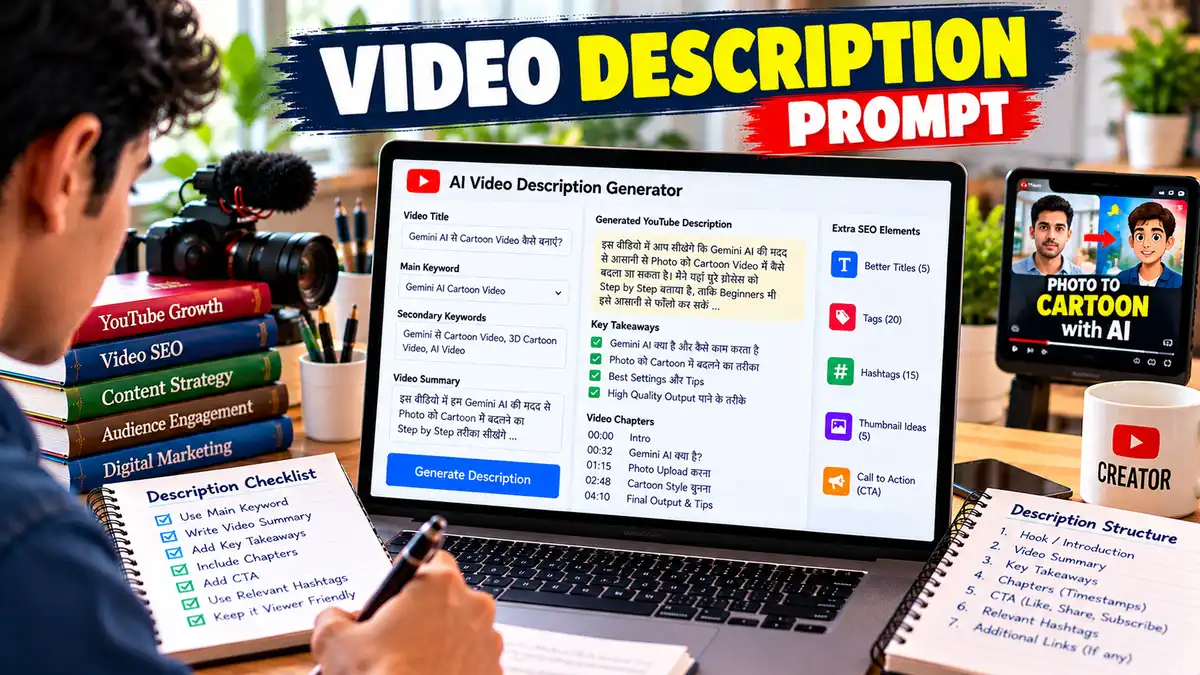
YouTube Video Description Prompt: AI से SEO-Friendly YouTube Description लिखें
“Video Description Prompt से AI की मदद से SEO-friendly और viewer-friendly YouTube Description तैयार करें। इसमें Keyword Placement, Video Summary, Key Takeaways, Chapters, CTA और Hashtags के साथ publish-ready description पाएं।”
YouTube Video Description Prompt से AI की मदद से SEO-friendly YouTube Description बनाएं। Keywords, Summary, Chapters, CTA और Hashtags के साथ publish-ready description पाएं।
YouTube Video का Description सिर्फ कुछ keywords डालकर भर देने वाली जगह नहीं है। एक अच्छी description viewer को बताती है कि वीडियो किस बारे में है, उसे क्या सीखने को मिलेगा और वीडियो में कौन-कौन से important points शामिल हैं।
साथ ही, अगर description को सही तरीके से लिखा जाए तो यह YouTube और viewer दोनों के लिए video context को साफ कर सकती है। यही काम आसान बनाने के लिए यह Video Description Prompt तैयार किया गया है।
YouTube Video Description Prompt का उपयोग कैसे करें?
इस Prompt का इस्तेमाल बहुत आसान है। सबसे पहले अपने वीडियो की असल जानकारी तैयार रखें। जितनी सही जानकारी देंगे, Description उतनी ही बेहतर बनेगी।
Step 1: Title और Topic डालें
[अपना YouTube Title] और [वीडियो का मुख्य विषय] में अपनी जानकारी डालें।
Step 2: Keywords जोड़ें – YouTube Video Description Prompt
एक Primary Keyword और कुछ Secondary Keywords डालें।
उदाहरण:
Primary: Gemini AI Cartoon Video
Secondary: Gemini से Cartoon Video, 3D Cartoon Video, AI Video
Step 3: Video Summary जरूर दें
वीडियो में वास्तव में क्या बताया गया है, इसे 5–10 lines में लिखें। यह सबसे महत्वपूर्ण step है।
मान लीजिए वीडियो में सिर्फ Photo को Cartoon में बदलना बताया गया है, तो Description में “AI से पूरा Animated Movie बनाएं” जैसी बात नहीं लिखनी चाहिए।
Step 4: Main Points और Chapters डालें
अगर वीडियो में 4–5 अलग sections हैं तो उन्हें लिख दें। अगर आपके पास exact timestamps हैं तो उन्हें भी Prompt में डालें।
Step 5: Viewer Benefit बताएं
सिर्फ “इस वीडियो में Gemini AI बताया गया है” लिखने के बजाय बताएं कि viewer क्या सीख पाएगा।
उदाहरण:“वीडियो देखने के बाद Beginner अपनी Photo को Cartoon Style में बदलने की basic process समझ पाएगा।”
Step 6: AI से Description Generate करें
अब पूरा Prompt ChatGPT, Claude या दूसरे AI में paste करें। आपको long description, short description, key takeaways, CTA और hashtags मिल जाएंगे।
Step 7: Final Check जरूर करें – YouTube Video Description Prompt
AI की Description को अपने वीडियो से मिलाकर देखें। अगर कोई ऐसी बात लिखी है जो वीडियो में नहीं है, तो उसे हटा दें।
एक practical tip: Description को सिर्फ keywords की बोरी न बनाएं। Viewer अगर description खोले और उसे पहली कुछ lines में ही समझ आ जाए कि वीडियो उसके लिए useful है, तो आपने काम सही किया है।
YouTube Video Description Prompt – FAQs
Video Description Prompt क्या है?
Video Description Prompt एक detailed AI instruction है जिसकी मदद से YouTube वीडियो के लिए structured और SEO-friendly description तैयार की जा सकती है। इसमें Video Summary, Keywords, Key Points, Chapters, CTA और Hashtags जैसे elements शामिल किए जा सकते हैं। इससे Creator को हर वीडियो के लिए Description manually लिखने में कम समय लगता है।
YouTube Video Description कैसे लिखें?
YouTube Description की शुरुआत वीडियो के Topic और viewer benefit से करें। इसके बाद वीडियो में शामिल मुख्य points को साफ तरीके से बताएं और जरूरत के अनुसार relevant keywords इस्तेमाल करें। Chapters उपलब्ध हों तो timestamps जोड़ें। अंत में छोटा CTA और relevant hashtags रख सकते हैं। Description हमेशा actual video content से match करनी चाहिए।
ChatGPT से YouTube Description कैसे बनाएं?
ChatGPT को Video Title, Topic, Primary Keyword, Audience और Video Summary दें। फिर उससे natural language में SEO-friendly YouTube Description बनाने को कहें। बेहतर result के लिए Main Points, Chapters और Viewer Benefit भी दें। AI से Description मिलने के बाद उसे actual video से compare करें और गलत या अतिरिक्त claims हटा दें।
YouTube Description में Keyword कितनी बार डालना चाहिए?
YouTube Description में keyword को किसी fixed percentage में डालना जरूरी नहीं है। Primary keyword को natural context में रखें और बाकी related terms को जरूरत के अनुसार इस्तेमाल करें। बार-बार एक ही keyword लिखने से description artificial लग सकती है। बेहतर तरीका है कि पहले viewer के लिए useful information लिखें और keywords को उसी context में naturally शामिल करें।
क्या AI से बनाई YouTube Description SEO के लिए अच्छी होती है?
AI अच्छी SEO-friendly Description बनाने में मदद कर सकता है, लेकिन result आपके input की quality पर निर्भर करता है। अगर आप Video का actual content, audience और keywords सही देते हैं तो output ज्यादा relevant हो सकता है। फिर भी Description को publish करने से पहले facts, claims, timestamps और content accuracy को manually check करना जरूरी है।
YouTube Description कितनी लंबी होनी चाहिए?
YouTube Description की कोई एक ideal length हर वीडियो पर लागू नहीं होती। जितनी जानकारी viewer के लिए जरूरी हो उतनी ही रखें। शुरुआत की lines को खास तौर पर clear और useful बनाएं, क्योंकि वही viewer को सबसे पहले दिखाई देती हैं। Tutorial, Review और Long-form videos में जरूरत के अनुसार ज्यादा detailed description उपयोगी हो सकती है।
क्या YouTube Description में Hashtags डालना जरूरी है?
Hashtags अनिवार्य नहीं हैं, लेकिन relevant hashtags वीडियो के topic को स्पष्ट करने में मदद कर सकते हैं। बहुत ज्यादा hashtags डालने के बजाय कुछ genuinely relevant hashtags रखना बेहतर है। Hashtags को मुख्य SEO strategy न बनाएं। Video का actual content, title, description और viewer relevance ज्यादा महत्वपूर्ण हैं।
📋 AI Prompt
आप एक अनुभवी YouTube Description Writer, SEO Content Strategist और Audience Intent Expert हैं।मेरा लक्ष्य अपने YouTube वीडियो के लिए एक ऐसी Description तैयार करना है जो natural, useful, readable और SEO-friendly हो तथा viewer को तुरंत समझ आए कि वीडियो किस बारे में है और उसे इसे क्यों देखना चाहिए।ध्यान रखें: Description में keywords को जबरदस्ती भरना नहीं है। पहले viewer clarity और actual video content को प्राथमिकता दें।मेरे वीडियो की जानकारी:- Video Title: [अपना YouTube Title लिखें]
- Main Topic: [वीडियो का मुख्य विषय]
- Primary Keyword: [मुख्य Keyword]
- Secondary Keywords: [Keyword 1, Keyword 2, Keyword 3]
- Target Audience: [Students / Beginners / Creators / Business Owners आदि]
- Channel Niche: [AI / Tech / Education / Gaming / Finance आदि]
- Video Type: [Tutorial / How-To / Review / Comparison / Explainer / Vlog]
- Video Language: [Hindi / Hinglish / English]
- Video Length: [जैसे 5 मिनट 30 सेकंड]
- Video Summary: [वीडियो में वास्तव में क्या बताया गया है]
- Main Points Covered: [वीडियो के मुख्य Points]
- Chapters/Timestamps: [यदि उपलब्ध हों]
- Viewer Benefit: [वीडियो देखने के बाद viewer क्या सीख पाएगा]
- CTA: [Subscribe / Comment / Like / Share / Website आदि]
- Relevant Hashtags: [यदि पहले से कोई हैं]
- Brand/Channel Tone: [Friendly / Professional / Simple / Expert]अब मेरे वीडियो के लिए एक complete YouTube Video Description तैयार करें।इन नियमों का पालन करें:1. Description की शुरुआत 2-3 strong lines से करें जो viewer को तुरंत बताएं कि वीडियो किस बारे में है और उसे क्या फायदा मिलेगा।
2. Primary Keyword को शुरुआत में natural तरीके से इस्तेमाल करें, लेकिन keyword stuffing न करें।
3. Secondary और semantic keywords को केवल relevant जगहों पर रखें।
4. Description ऐसा लगे जैसे किसी इंसान ने viewer के लिए लिखा है, न कि Search Engine के लिए।
5. Video में मौजूद नहीं information को Description में न जोड़ें।
6. Video के मुख्य points को bullet points में साफ तरीके से दिखाएं।
7. अगर Chapters दिए गए हैं तो उन्हें readable timestamp format में रखें।
8. Viewer को बताएं कि इस वीडियो में कौन-कौन से सवाल या problems solve होंगे।
9. जरूरत के अनुसार relevant keywords के natural variations इस्तेमाल करें।
10. Description में unnecessary repetition, generic filler और keyword stuffing से बचें।
11. CTA छोटा, natural और context के अनुसार रखें।
12. अगर कोई claim, statistic या current information है जिसे verify करना जरूरी है, तो [Fact Check Required] लिखें।
13. Misleading promises या fake claims न करें।
14. Description को paragraphs और bullets में इस तरह format करें कि mobile पर पढ़ना आसान हो।
15. Hashtags केवल relevant और सीमित संख्या में दें।### Output Structure### 1. SEO-Optimized Description
एक complete, publish-ready YouTube Description लिखें।### 2. Short Description
लगभग 2-3 lines का छोटा version दें।### 3. Key Takeaways
वीडियो से मिलने वाले 4-6 मुख्य फायदे या सीख लिखें।### 4. Chapters
अगर पर्याप्त information उपलब्ध है तो timestamps बनाएं। अगर exact timing उपलब्ध नहीं है तो उन्हें अनुमान के रूप में mark करें।### 5. CTA
एक natural Subscribe/Comment/Like CTA दें।### 6. Hashtags
3-5 relevant hashtags दें।### 7. Keyword Placement Check
बताएं:
- Primary Keyword कहां इस्तेमाल हुआ?
- Secondary Keywords कहां इस्तेमाल हुए?
- कौन से semantic terms शामिल किए गए?
- क्या कोई keyword unnatural लग रहा है?### 8. Final Quality CheckDescription को /10 score दें:- SEO Relevance
- Readability
- Search Intent Match
- Viewer Clarity
- Content Accuracy
- CTA Qualityफिर 2-3 lines में बताएं कि publish करने से पहले क्या सुधारना चाहिए।
Act as an experienced YouTube Description Writer, SEO Content Strategist, and Audience Intent Expert.My goal is to create a natural, useful, readable, and SEO-friendly YouTube video description that immediately tells viewers what the video is about and why they should watch it.Important: Do not stuff keywords into the description. Prioritize viewer clarity, accuracy, readability, and alignment with the actual video content.Video Information:- Video Title: [Enter your YouTube title]
- Main Topic: [Enter the main video topic]
- Primary Keyword: [Enter the primary keyword]
- Secondary Keywords: [Keyword 1, Keyword 2, Keyword 3]
- Target Audience: [Students / Beginners / Creators / Business Owners / etc.]
- Channel Niche: [AI / Tech / Education / Gaming / Finance / etc.]
- Video Type: [Tutorial / How-To / Review / Comparison / Explainer / Vlog]
- Video Language: [English / Hindi / Hinglish]
- Video Length: [e.g. 5 minutes 30 seconds]
- Video Summary: [Describe what the video actually covers]
- Main Points Covered: [List the key points]
- Chapters/Timestamps: [Add them if available]
- Viewer Benefit: [What will viewers learn or gain?]
- CTA: [Subscribe / Comment / Like / Share / Website / etc.]
- Relevant Hashtags: [Add existing hashtags if any]
- Brand/Channel Tone: [Friendly / Professional / Simple / Expert]Create a complete YouTube Video Description.Follow these rules:1. Start with 2-3 strong lines that immediately explain the video topic and viewer benefit.
2. Naturally include the primary keyword near the beginning without keyword stuffing.
3. Use secondary and semantic keywords only where contextually relevant.
4. Make the description sound written for humans, not search engines.
5. Never add information that is not actually present in the video.
6. Clearly present the main topics or takeaways using bullet points.
7. Format chapters with readable timestamps when timestamps are available.
8. Explain what questions or problems the video helps solve.
9. Use natural variations of important keywords where appropriate.
10. Avoid repetition, filler, and keyword stuffing.
11. Keep the CTA short, natural, and relevant.
12. If a claim, statistic, or current information needs verification, mark it as [Fact Check Required].
13. Do not make misleading promises or unsupported claims.
14. Format paragraphs and bullets for easy mobile reading.
15. Use only a limited number of relevant hashtags.### Output Structure### 1. SEO-Optimized Description
Write a complete, publish-ready YouTube description.### 2. Short Description
Provide a short 2-3 line version.### 3. Key Takeaways
Provide 4-6 important benefits or lessons from the video.### 4. Chapters
Create timestamps if enough information is available. If exact timing is unavailable, clearly label the timestamps as estimates.### 5. CTA
Provide one natural Subscribe/Comment/Like CTA.### 6. Hashtags
Provide 3-5 relevant hashtags.### 7. Keyword Placement Check
Explain:
- Where the primary keyword was used
- Where secondary keywords were used
- Which semantic terms were included
- Whether any keyword sounds unnatural### 8. Final Quality CheckScore the description out of 10 for:- SEO Relevance
- Readability
- Search Intent Match
- Viewer Clarity
- Content Accuracy
- CTA QualityThen provide 2-3 lines explaining what should be improved before publishing.
📤 AI Output Example
मान लीजिए Input है:Title: Gemini AI से Cartoon Video कैसे बनाएं?
Primary Keyword: Gemini AI Cartoon Video
Audience: Beginners
Niche: AI Tools
Video Type: Tutorial
Length: 6 मिनटAI का संभावित Output:
SEO-Optimized Description
Gemini AI से Cartoon Video कैसे बनाएं? अगर आप बिना किसी complicated editing process के AI की मदद से Cartoon-style video बनाना चाहते हैं, तो इस आसान tutorial में पूरी process step-by-step समझें।
इस वीडियो में आप सीखेंगे कि Gemini AI में सही Prompt कैसे लिखें, Photo या Idea को Cartoon concept में कैसे बदलें और बेहतर result पाने के लिए किन details को Prompt में शामिल करना चाहिए।इस वीडियो में आप जानेंगे:
Gemini AI Cartoon Video बनाने की basic process
सही AI Prompt कैसे तैयार करें
Photo को Cartoon Style में कैसे बदलें
3D Cartoon result के लिए क्या details दें
AI output बेहतर करने के practical tipsChapters
00:00 Introduction
00:35 Gemini AI के लिए तैयारी
01:20 सही Prompt कैसे लिखें
02:30 Cartoon Result Generate करना
04:10 Result को बेहतर कैसे बनाएं
05:20 Common Mistakes
05:45 Final ResultCTA
अगर आपको ऐसे आसान AI tutorials पसंद हैं, तो वीडियो को Like करें और Channel को Subscribe कर सकते हैं।Hashtags
#GeminiAI #AICartoon #AIVideoKeyword Placement Check
Primary Keyword: शुरुआती paragraph में natural तरीके से इस्तेमाल किया गया है।Secondary Keywords: “Gemini AI Cartoon Video”, “AI Prompt”, “3D Cartoon” जैसे terms context के अनुसार शामिल किए गए हैं।Quality Score: 9/10
Description का सबसे मजबूत हिस्सा इसकी शुरुआत है, क्योंकि viewer को तुरंत topic और benefit दोनों समझ आते हैं। Publish करने से पहले Chapters को actual video timestamps से match करना चाहिए।यह sample दिखाता है कि एक अच्छी Video Description केवल keywords की list नहीं होती। उसमें viewer को context, benefit और video structure भी साफ दिखाई देना चाहिए।
✍️ लेखक के बारे में
Prabhuwan Mishra
मैं Prabhuwan Mishra AIHelpHindi.com का Founder और Content Creator हूं। मैं AI Tools, Prompt Engineering, Online Earning, Digital Skills और Automation के क्षेत्र में गहरी रुचि रखता हूं।
AIHelpHindi के माध्यम से मैं सरल हिंदी भाषा में प्रैक्टिकल गाइड्स, AI Apps की जानकारी, Prompt Tutorials और Online Income Strategies साझा करता हूं, जिससे कि भारत के छात्र, फ्रीलांसर और डिजिटल क्रिएटर्स नई तकनीक का सही उपयोग करके आगे बढ़ सकें।
मेरा उद्देश्य है कि AI और Digital Skills की सही जानकारी हिंदी में उपलब्ध हो, जिससे हर व्यक्ति टेक्नोलॉजी का लाभ उठा सके। मैं विशेष रूप से AI Tools Reviews, Freelancing Guides, Blogging with AI और Passive Income Methods पर नई- नई जानकारी लिखता हूं।