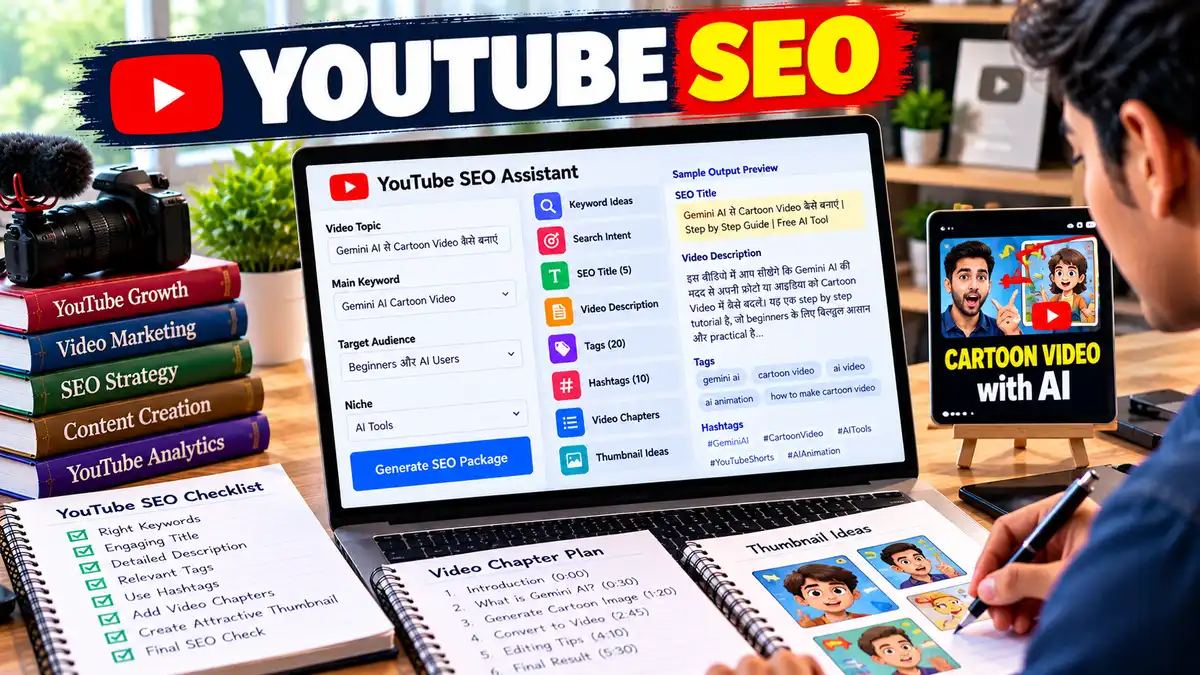
YouTube SEO Prompt: AI से YouTube Video का पूरा SEO तैयार करें
“YouTube SEO Prompt से AI की मदद से अपने वीडियो का पूरा SEO तैयार करें। Keywords, Search Intent, SEO Title, Description, Tags, Hashtags, Chapters और Thumbnail Ideas के साथ एक complete YouTube SEO package पाएं।”
YouTube पर सिर्फ अच्छा वीडियो बनाना काफी नहीं है। सही Topic के साथ सही Keyword, Title, Description और Viewer Intent को समझना भी जरूरी है। लेकिन हर वीडियो के लिए ये सब manually तैयार करना कई बार काफी समय ले सकता है।
इस Prompt का फायदा तब सबसे ज्यादा मिलेगा जब आप AI को अपने वीडियो की असल जानकारी देंगे। केवल एक keyword डालकर “SEO कर दो” कहने से अच्छे results की उम्मीद करना थोड़ा ऐसा है जैसे डॉक्टर को सिर्फ “कुछ दवा दे दो” कहना। 😄
Step 1: Video Topic और Main Keyword डालें
सबसे पहले अपना Topic और Primary Keyword लिखें।उदाहरण:
5–10 lines में बताएं कि वीडियो में वास्तव में क्या दिखाया या समझाया गया है। यह सबसे जरूरी हिस्सों में से एक है, क्योंकि AI को ऐसी Description या Keywords नहीं बनाने चाहिए जो वीडियो में हैं ही नहीं।
अगर आपके पास YouTube Search से 3–5 competitor titles हैं, तो उन्हें Prompt में डाल सकते हैं।
AI को उनसे pattern और intent समझने को कहें, copy करने को नहीं।
Step 5: AI से SEO Package बनवाएं
Prompt चलाने के बाद आपको Keyword Ideas, Search Intent, Titles, Description, Tags, Hashtags और Thumbnail suggestions मिलेंगे।
Step 6: Publish से पहले एक बार Check करें
AI का SEO output final मानकर सीधे publish न करें। खासकर facts, current information, names, numbers और claims को check करें। Description में वही बातें रखें जो वीडियो में सचमुच मौजूद हैं।
एक और जरूरी बात: YouTube खुद बताता है कि title, thumbnail और description discovery में महत्वपूर्ण metadata हैं, जबकि tags की भूमिका आम तौर पर सीमित है। इसलिए सिर्फ 30–40 tags जोड़ देने से SEO magically बेहतर नहीं हो जाता।
YouTube SEO Prompt – FAQs
YouTube SEO Prompt क्या है?
YouTube SEO Prompt एक detailed AI instruction है जिससे किसी वीडियो के लिए keywords, search intent, title, description, tags, hashtags और thumbnail ideas तैयार किए जा सकते हैं। अच्छा Prompt AI को केवल keywords की list बनाने के बजाय वीडियो के actual content और target audience को समझकर SEO package तैयार करने में मदद करता है।
YouTube SEO कैसे करें?
YouTube SEO की शुरुआत सही Search Intent और relevant topic से करें। इसके बाद primary keyword के आधार पर clear Title और useful Description तैयार करें। Video का actual content भी उसी topic से match होना चाहिए। YouTube के अनुसार Search में relevance, engagement और quality महत्वपूर्ण factors हैं, इसलिए केवल keywords भरना पर्याप्त strategy नहीं है।
ChatGPT से YouTube SEO कैसे करें?
ChatGPT में Video Topic, Main Keyword, Audience, Niche और Video Summary दें। फिर उससे Search Intent, Secondary Keywords, Titles, Description, Tags और Hashtags तैयार करने को कहें। बेहतर result के लिए existing YouTube search terms या competitor titles भी input में दे सकते हैं। अंत में generated SEO elements को अपने actual video content से जरूर मिलाएं।
YouTube Video के लिए Keywords कैसे खोजें?
सबसे पहले सोचें कि आपका target viewer YouTube Search में क्या लिख सकता है। Main topic से जुड़े question-based, how-to और long-tail phrases बनाएं। YouTube Analytics में उपलब्ध search terms भी उपयोगी हो सकते हैं। Keyword चुनते समय केवल popularity पर निर्भर न रहें; relevance और यह भी देखें कि आपका वीडियो उस query का वास्तविक जवाब देता है या नहीं।
क्या YouTube Tags SEO के लिए जरूरी हैं?
Tags का उपयोग किया जा सकता है, लेकिन YouTube के अनुसार tags की discovery में भूमिका सीमित है। वे खासकर common misspellings को समझने में मदद कर सकते हैं। इसलिए SEO strategy को tags की लंबी list पर आधारित करना सही नहीं है। Title, thumbnail, description और actual video content की relevance पर ज्यादा ध्यान देना बेहतर है।
YouTube Description में Keyword कितनी बार डालना चाहिए?
Keyword को किसी fixed percentage या निश्चित संख्या में डालना जरूरी नहीं है। Primary keyword को जहां natural लगे वहां इस्तेमाल करें और उससे जुड़े terms को context के अनुसार शामिल करें। YouTube की guidance के अनुसार description की शुरुआती lines में वीडियो के बारे में साफ जानकारी देना उपयोगी है। Keyword stuffing से readability खराब हो सकती है।
क्या YouTube SEO से Video की Ranking की Guarantee मिलती है?
नहीं। YouTube SEO video को relevant searches के लिए बेहतर तरीके से समझने में मदद कर सकता है, लेकिन ranking की guarantee नहीं देता। Search results में relevance के साथ engagement, quality और viewer behavior भी भूमिका निभाते हैं। इसके अलावा recommendations personalized होती हैं। इसलिए SEO को strong content और audience satisfaction के साथ इस्तेमाल करना ज्यादा सही approach है।
📋 AI Prompt
आप एक अनुभवी YouTube SEO Expert, Content Strategist, Keyword Researcher और Audience Intent Analyst हैं।मेरा लक्ष्य अपने YouTube वीडियो के लिए ऐसा complete SEO package तैयार करना है जो सही दर्शकों तक पहुंचने में मदद करे, Search Intent से match करे और वीडियो की वास्तविक जानकारी को साफ तरीके से प्रस्तुत करे।ध्यान रखें: YouTube SEO का उद्देश्य केवल keywords भरना नहीं है। Relevance, viewer satisfaction, engagement, content quality और audience fit को प्राथमिकता दें। किसी भी ranking, views या viral performance की guarantee न दें।मेरे वीडियो की जानकारी:- Video Topic: [अपने वीडियो का Topic लिखें]
- Existing Video Title: [यदि पहले से Title है तो लिखें]
- Main Keyword: [Primary Keyword]
- Secondary Keywords: [Keyword 1, Keyword 2, Keyword 3]
- Target Audience: [Students / Beginners / Creators / Business Owners आदि]
- Channel Niche: [AI / Tech / Education / Gaming / Finance आदि]
- Video Type: [Tutorial / How-To / Review / Comparison / List / News / Explainer]
- Video Language: [Hindi / Hinglish / English]
- Video Length: [जैसे 5 मिनट / 8 मिनट / 10 मिनट]
- Video Content Summary: [वीडियो में क्या बताया गया है, 5-10 lines]
- Important Points: [वीडियो में शामिल मुख्य बातें]
- Target Location/Audience: [India / Global / Hindi-speaking audience आदि]
- Existing Competitor Titles: [यदि उपलब्ध हों तो 3-5 titles]
- Existing Search Terms: [यदि YouTube Analytics में उपलब्ध हों]
- CTA: [Like / Comment / Subscribe / Website / आदि]सबसे पहले मेरे Topic और Content के आधार पर Search Intent समझें।### Step 1: Keyword & Search Intent Analysisमेरे Main Keyword के आधार पर:- 1 Primary Keyword चुनें
- 5-8 Secondary Keywords दें
- 5-8 Long-Tail Keyword Ideas दें
- 5 Semantic/Related Terms दें
- User Search Intent बताएं: Informational / How-To / Commercial / Navigational / Mixed
- प्रत्येक Keyword के साथ उसका Search Intent बताएं
- अगर वास्तविक Search Volume या Keyword Difficulty उपलब्ध नहीं है, तो कोई काल्पनिक संख्या न बनाएं। केवल intent और relevance के आधार पर analysis करें।Keywords को natural और content-relevant रखें। Keyword stuffing न करें।### Step 2: YouTube Title Optimizationमेरे वीडियो के लिए 10 अलग-अलग SEO-friendly Titles बनाएं।हर Title में:
- Natural Keyword Placement
- Clear Viewer Benefit
- Strong Search Intent Match
- अच्छा CTR Angle
- Accurate PromiseTitles को unnecessarily लंबा न करें।फिर Top 3 Titles चुनें और प्रत्येक को score दें:- SEO Relevance /10
- CTR Potential /10
- Search Intent Match /10
- Clarity /10
- Overall Score /10इसके बाद एक Best Title चुनें और बताएं कि उसे क्यों चुना गया।### Step 3: SEO Video Descriptionमेरे वीडियो के लिए एक complete YouTube Description लिखें।Description में:1. पहली 2-3 lines में वीडियो का clear summary और primary keyword natural तरीके से रखें।
2. Viewer को बताएं कि वीडियो देखने के बाद उसे क्या मिलेगा।
3. Main topics को natural language में cover करें।
4. Secondary keywords को केवल जहां relevant हों वहां इस्तेमाल करें।
5. जरूरत पड़ने पर bullet points दें।
6. एक natural CTA जोड़ें।
7. कोई keyword stuffing न करें।
8. ऐसी जानकारी न जोड़ें जो वीडियो में मौजूद नहीं है।फिर Description का एक short SEO preview भी दें।### Step 4: YouTube Tagsमेरे वीडियो के लिए relevant YouTube Tags की सूची दें।Rules:
- केवल relevant tags दें।
- Primary keyword और useful variations शामिल करें।
- Misspellings या alternate wording तभी दें जब उपयोगी हों।
- Irrelevant या excessive tags न दें।
- Tags को SEO का सबसे महत्वपूर्ण हिस्सा बताकर overclaim न करें।### Step 5: Hashtags3-5 relevant YouTube Hashtags सुझाएं।Hashtags केवल वीडियो के वास्तविक Topic से संबंधित हों।### Step 6: Video Chaptersअगर Video Length और Content Structure पर्याप्त जानकारी देता है, तो YouTube Chapters का सुझाव दें।Format:00:00 Introduction
00:XX [Section Name]
00:XX [Section Name]
00:XX ConclusionChapters video के actual content से match होने चाहिए। अनुमान को स्पष्ट रूप से अनुमान बताएं।### Step 7: Thumbnail & CTR SuggestionsSEO के साथ packaging भी ध्यान में रखें।बताएं:
- Thumbnail पर 2-4 शब्दों का Text
- Main Visual
- Emotion
- Color/Contrast Idea
- Title और Thumbnail को एक-दूसरे से अलग लेकिन complementary कैसे रखेंMisleading clickbait से बचें।### Step 8: Complete SEO Packageअंत में एक compact format में दें:- Best SEO Title
- Primary Keyword
- Secondary Keywords
- Long-Tail Keywords
- SEO Description
- Tags
- Hashtags
- Chapters
- Thumbnail Text
- Search Intent
- Target Audience### Step 9: Final SEO Auditमेरे Video SEO को /10 पर score करें:- Keyword Relevance
- Search Intent
- Title
- Description
- Content Match
- Audience Fit
- CTR Packaging
- Overall SEO Readinessफिर बताएं:1. सबसे मजबूत SEO element क्या है?
2. सबसे कमजोर element क्या है?
3. Publish करने से पहले क्या सुधारना चाहिए?
4. कौन सी information fact-check करनी चाहिए?
5. क्या कोई keyword unnatural तरीके से इस्तेमाल हुआ है?ध्यान रखें:
- कोई fake ranking guarantee न दें।
- कोई fabricated Search Volume/KD/competition number न बनाएं।
- किसी competitor की wording copy न करें।
- SEO के नाम पर keyword stuffing न करें।
- Video में मौजूद नहीं जानकारी को Description में न जोड़ें।
Act as a senior YouTube SEO Expert, Content Strategist, Keyword Researcher, and Audience Intent Analyst.My goal is to create a complete YouTube SEO package that helps my video reach relevant viewers, matches search intent, clearly communicates the video's actual content, and improves its overall search and discovery readiness.Important: YouTube SEO is not simply about adding more keywords. Prioritize relevance, viewer satisfaction, engagement, content quality, and audience fit. Never guarantee rankings, views, or viral performance.Video Information:- Video Topic: [Enter your video topic]
- Existing Video Title: [Enter current title if available]
- Primary Keyword: [Enter main keyword]
- Secondary Keywords: [Keyword 1, Keyword 2, Keyword 3]
- Target Audience: [Students / Beginners / Creators / Business Owners / etc.]
- Channel Niche: [AI / Tech / Education / Gaming / Finance / etc.]
- Video Type: [Tutorial / How-To / Review / Comparison / List / News / Explainer]
- Video Language: [English / Hindi / Hinglish]
- Video Length: [5 minutes / 8 minutes / 10 minutes / etc.]
- Video Content Summary: [Describe the actual video in 5-10 lines]
- Important Points: [Main points covered in the video]
- Target Location/Audience: [India / Global / Hindi-speaking audience / etc.]
- Competitor Titles: [Paste 3-5 competitor titles if available]
- Existing Search Terms: [Add YouTube Analytics search terms if available]
- CTA: [Like / Comment / Subscribe / Website / etc.]First, analyze the video's likely Search Intent.### Step 1: Keyword & Search Intent AnalysisBased on my primary keyword:- Select 1 Primary Keyword
- Provide 5-8 Secondary Keywords
- Provide 5-8 Long-Tail Keyword Ideas
- Provide 5 Semantic/Related Terms
- Identify the Search Intent: Informational / How-To / Commercial / Navigational / Mixed
- Explain the intent behind each important keyword
- If real search volume or keyword difficulty data is unavailable, do not invent numbers. Analyze relevance and intent instead.Keep all keywords natural and content-relevant. Avoid keyword stuffing.### Step 2: YouTube Title OptimizationCreate 10 SEO-friendly YouTube titles.Every title should have:
- Natural keyword placement
- Clear viewer benefit
- Strong search intent match
- A compelling but accurate CTR angle
- A truthful promiseAvoid unnecessarily long titles.Then select the Top 3 titles and score each:- SEO Relevance /10
- CTR Potential /10
- Search Intent Match /10
- Clarity /10
- Overall Score /10Choose one Best Title and explain why it is the strongest option.### Step 3: SEO Video DescriptionWrite a complete YouTube video description.The description must:1. Clearly summarize the video in the first 2-3 lines and naturally include the primary keyword.
2. Explain what the viewer will learn or gain.
3. Cover the main topics naturally.
4. Use secondary keywords only where contextually appropriate.
5. Use bullet points where useful.
6. Include a natural CTA.
7. Avoid keyword stuffing.
8. Never add information that is not actually covered in the video.Then provide a short SEO preview.### Step 4: YouTube TagsGenerate a relevant list of YouTube tags.Rules:
- Use only relevant tags.
- Include the primary keyword and useful variations.
- Add misspellings or alternate wording only when genuinely useful.
- Avoid irrelevant or excessive tags.
- Do not overstate the importance of tags.### Step 5: HashtagsSuggest 3-5 relevant YouTube hashtags.Use only hashtags directly related to the actual video topic.### Step 6: Video ChaptersIf enough information about the video length and structure is available, suggest YouTube Chapters.Format:00:00 Introduction
00:XX [Section Name]
00:XX [Section Name]
00:XX ConclusionChapters must match the actual content. Clearly label any timing estimate as an estimate.### Step 7: Thumbnail & CTR SuggestionsAlso optimize the video's packaging.Provide:
- 2-4 word thumbnail text
- Main visual concept
- Emotion
- Color/contrast idea
- How the title and thumbnail can complement each other without repeating the same messageAvoid misleading clickbait.### Step 8: Complete SEO PackagePresent a compact final package containing:- Best SEO Title
- Primary Keyword
- Secondary Keywords
- Long-Tail Keywords
- SEO Description
- Tags
- Hashtags
- Chapters
- Thumbnail Text
- Search Intent
- Target Audience### Step 9: Final SEO AuditScore the video SEO out of 10 for:- Keyword Relevance
- Search Intent
- Title
- Description
- Content Match
- Audience Fit
- CTR Packaging
- Overall SEO ReadinessThen explain:1. Strongest SEO element
2. Weakest SEO element
3. What should be improved before publishing
4. Which information needs fact-checking
5. Whether any keyword sounds unnaturalImportant:
- Do not guarantee rankings or views.
- Do not fabricate Search Volume, KD, competition, or traffic numbers.
- Do not copy competitor wording.
- Do not use keyword stuffing.
- Do not add information to the description that is not present in the video.
📤 AI Output Example
मान लीजिए आपने Input दिया:Topic: Gemini AI से Cartoon Video कैसे बनाएं
Primary Keyword: Gemini AI Cartoon Video
Audience: Beginners
Niche: AI Tools
Language: Hindi
Video Type: TutorialAI का संभावित Output:
Search Intent
Primary Intent: How-To / Informational
Viewer जानना चाहता है कि Gemini AI का इस्तेमाल करके Cartoon Video कैसे बनाया जा सकता है और इसके लिए कौन से steps follow करने होंगे।Primary Keyword
Gemini AI Cartoon VideoSecondary Keywords
Gemini AI से Cartoon Video
Gemini से 3D Cartoon Video
Gemini AI Video कैसे बनाएं
Photo से Cartoon Video
AI Cartoon Video MakerLong-Tail Keywords
Gemini AI से Cartoon Video कैसे बनाएं
Gemini से 3D Cartoon Video कैसे बनाएं
Photo को Cartoon Video में कैसे बदलें
Gemini AI से Free Cartoon Video कैसे बनाएं
AI से Cartoon Video बनाने का तरीकाTop YouTube Titles1. Gemini AI से Cartoon Video कैसे बनाएं?
SEO: 10/10 | CTR: 8/10 | Intent: 10/102. Gemini से 3D Cartoon Video ऐसे बनाएं
SEO: 9/10 | CTR: 9/10 | Intent: 9/103. Photo से Cartoon Video बनाएं Gemini AI से
SEO: 9/10 | CTR: 8/10 | Intent: 9/10Best Title
Gemini AI से Cartoon Video कैसे बनाएं?
यह Title साफ तौर पर viewer के सवाल को target करता है और Primary Keyword को natural तरीके से शामिल करता है।SEO Description
“Gemini AI से Cartoon Video कैसे बनाएं? इस वीडियो में हम आसान तरीके से जानेंगे कि Gemini AI की मदद से Cartoon-style video बनाने के लिए क्या करना है। अगर आप Beginner हैं और AI की मदद से creative videos बनाना चाहते हैं, तो इस tutorial में दिए गए steps आपके लिए उपयोगी हो सकते हैं।
वीडियो में आप सीखेंगे:Gemini AI में सही Prompt कैसे लिखें
Photo को Cartoon Style में कैसे बदलें
3D Cartoon Video के लिए बेहतर instructions कैसे दें
बेहतर AI output के लिए किन बातों का ध्यान रखें”Suggested Tags
Gemini AI Cartoon Video, Gemini AI से Cartoon Video, Gemini Cartoon Video, AI Cartoon Video, 3D Cartoon Video, Gemini AI Tutorial, AI Video GeneratorSuggested Hashtags
#GeminiAI #AIVideo #CartoonVideoThumbnail Text
“PHOTO → CARTOON”Thumbnail Concept
एक तरफ real photo और दूसरी तरफ उसी subject का colorful cartoon version दिखाएं। बीच में transformation effect रखें और background को clean रखें।Final SEO Audit
Keyword Relevance: 9/10
Search Intent: 10/10
Title: 9/10
Description: 9/10
Content Match: 10/10
Audience Fit: 9/10
CTR Packaging: 9/10
Overall SEO Readiness: 9.3/10यह sample दिखाता है कि Prompt सिर्फ keywords की list नहीं बनाता, बल्कि Keyword → Intent → Title → Description → Packaging → SEO Audit को एक workflow में जोड़ता है।
✍️ लेखक के बारे में
Prabhuwan Mishra
मैं Prabhuwan Mishra AIHelpHindi.com का Founder और Content Creator हूं। मैं AI Tools, Prompt Engineering, Online Earning, Digital Skills और Automation के क्षेत्र में गहरी रुचि रखता हूं।
AIHelpHindi के माध्यम से मैं सरल हिंदी भाषा में प्रैक्टिकल गाइड्स, AI Apps की जानकारी, Prompt Tutorials और Online Income Strategies साझा करता हूं, जिससे कि भारत के छात्र, फ्रीलांसर और डिजिटल क्रिएटर्स नई तकनीक का सही उपयोग करके आगे बढ़ सकें।
मेरा उद्देश्य है कि AI और Digital Skills की सही जानकारी हिंदी में उपलब्ध हो, जिससे हर व्यक्ति टेक्नोलॉजी का लाभ उठा सके। मैं विशेष रूप से AI Tools Reviews, Freelancing Guides, Blogging with AI और Passive Income Methods पर नई- नई जानकारी लिखता हूं।