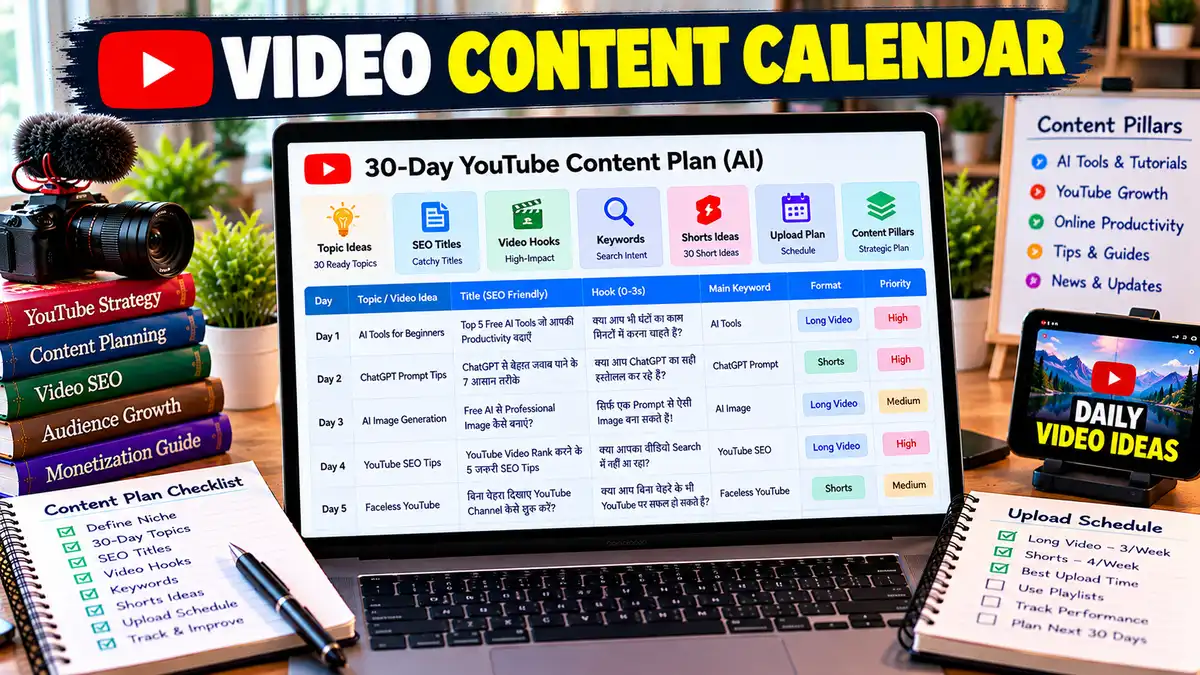
Video Content Calendar Prompt: AI से 30 दिन का YouTube Content Calendar बनाएं
“Video Content Calendar Prompt से AI की मदद से YouTube के लिए 30 दिन का पूरा Content Calendar बनाएं। Topics, Titles, Hooks, Keywords, Shorts Ideas, Content Pillars, Priority और Upload Strategy एक ही Prompt से तैयार करें।”
Video Content Calendar Prompt से YouTube के लिए 30 दिन का Content Plan बनाएं। AI से Topics, Titles, Hooks, Keywords, Shorts और Upload Schedule तैयार करें।
हर बार YouTube पर नया वीडियो बनाने से पहले “अब किस Topic पर Video बनाऊं?” सोचना काफी समय ले सकता है। कभी ideas खत्म हो जाते हैं, कभी topics repeat होने लगते हैं और कभी पूरा हफ्ता निकल जाता है लेकिन upload नहीं हो पाता हैं।
Video Content Calendar Prompt इसी problem को आसान बनाता है। यह AI को आपके Channel, Niche और Audience के बारे में जानकारी देकर एक ऐसा content calendar तैयार करवाता है जिसमें सिर्फ topics नहीं, बल्कि Title, Hook, Content Pillar, Search Intent, Format, Keyword, CTA और Production Priority भी शामिल होती है।
सबसे अच्छी बात यह है कि Calendar को आपकी वास्तविक capacity के हिसाब से बनाया जा सकता है। यानी ऐसा schedule नहीं जिसमें 30 दिनों में 60 videos बनाने पड़ें और creator तीसरे दिन ही चाय लेकर retirement ले ले।
Video Content Calendar Prompt का उपयोग कैसे करें?
इस Prompt को इस्तेमाल करना काफी आसान है। बस पहले अपने Channel की basic जानकारी तैयार रखें।
Step 1: Channel की जानकारी भरें
[Channel Niche], [Target Audience], [Language] और [Main Goal] जैसी जगहों पर अपनी जानकारी डालें।
अगर आप सप्ताह में सिर्फ 2 Videos बना सकते हैं, तो Prompt में वही लिखें। 7 videos/week लिखकर AI से ऐसा Calendar बनवाने का कोई फायदा नहीं जिसे आप खुद follow न कर पाएं।
YouTube भी ऐसा upload schedule रखने की सलाह देता है जिसे creator लंबे समय तक लगातार निभा सके।
Step 3: Long Videos और Shorts का Balance तय करें
अगर आपका Channel दोनों formats इस्तेमाल करता है, तो Prompt को यह साफ बताएं।
उदाहरण:
हर सप्ताह 2 Long Videos + 3 Shorts
इसके बाद AI दोनों formats को एक content system की तरह जोड़ सकता है।
Step 4: Calendar Generate करें – Video Content Calendar Prompt
अब पूरा Prompt ChatGPT, Claude या किसी दूसरे AI में paste करें। AI आपके लिए 30 दिनों के Topics, Titles, Keywords, Hooks और Priority तैयार करेगा।
Step 5: Top 10 Ideas पहले चुनें
Calendar में दिए Priority Score को देखकर पहले सबसे मजबूत ideas चुनें। हर topic को एक साथ publish करने की जरूरत नहीं है।
Step 6: Long Video से Shorts निकालें
अगर कोई Long Video अच्छा topic है, तो उसी से related Shorts बनाएं। लेकिन Short में अलग Hook और standalone value रखें।
Step 7: हर महीने Calendar Update करें
पुराने Calendar को पत्थर की लकीर न मानें। Analytics देखकर अगले महीने के topics बदलें। YouTube Analytics में impressions, CTR, average view duration और audience retention जैसे metrics देखकर content decisions बेहतर किए जा सकते हैं।
YouTube की official guidance भी पहले से schedule बनाने और जरूरत के अनुसार उसे adjust करने पर जोर देती है।
FAQs – Video Content Calendar Prompt
Video Content Calendar Prompt क्या है?
Video Content Calendar Prompt एक AI Prompt है जो YouTube Channel के लिए पहले से video topics और publishing plan तैयार करने में मदद करता है। इसमें केवल ideas नहीं, बल्कि Content Pillar, Title, Hook, Keyword, Search Intent, Format, Duration, Priority और CTA जैसी जानकारी भी शामिल की जा सकती है। इससे content planning ज्यादा organized हो जाती है।
YouTube Content Calendar कैसे बनाएं?
पहले Niche, Audience और Content Goal तय करें। फिर 4-6 Content Pillars बनाकर हर pillar से अलग-अलग video topics निकालें। इसके बाद Long Videos और Shorts का balance तय करें और उन्हें weekly schedule में रखें। Calendar को अपनी वास्तविक production capacity के अनुसार बनाना जरूरी है ताकि consistency लंबे समय तक बनी रहे।
30 Day YouTube Content Calendar क्या होता है?
30 Day YouTube Content Calendar अगले 30 दिनों के videos की पहले से बनाई गई planning होती है। इसमें हर दिन का Topic, Title, Format और कभी-कभी Hook, Keyword और CTA भी शामिल होते हैं। इससे creator को रोज नया idea खोजने की जरूरत कम पड़ती है और channel का content एक clear direction में आगे बढ़ सकता है।
क्या ChatGPT से YouTube Content Calendar बनाया जा सकता है?
हाँ, ChatGPT जैसे AI tools से YouTube Content Calendar तैयार किया जा सकता है। बेहतर output के लिए सिर्फ “30 video ideas दो” न लिखें। Niche, Target Audience, Upload Frequency, Content Format, Goal और Available Time भी बताएं। इससे AI आपके लिए ज्यादा practical और realistic content plan बना सकता है।
YouTube के लिए एक हफ्ते में कितने वीडियो Upload करने चाहिए?
इसकी कोई एक fixed संख्या नहीं है। सही frequency आपकी niche, production capacity और content quality पर निर्भर करती है। अगर आप अकेले काम करते हैं तो कम लेकिन लगातार upload करना ज्यादा practical हो सकता है। YouTube भी ऐसा release schedule रखने की सलाह देता है जिसे creator लंबे समय तक maintain कर सके।
YouTube Content Calendar में Shorts और Long Videos दोनों रखने चाहिए?
अगर दोनों formats आपके Channel के लिए useful हैं, तो उन्हें एक साथ plan किया जा सकता है। Long Video किसी topic को detail में समझा सकता है और उसी topic से अलग angle वाला Short बनाया जा सकता है। लेकिन Short सिर्फ लंबी video की random clipping नहीं होना चाहिए; उसमें खुद की clear और useful value होनी चाहिए।
YouTube Content Calendar कितने दिन पहले बनाना चाहिए?
अधिकतर creators के लिए 2-4 सप्ताह का planning window practical हो सकता है। इससे आपको scripts, recording और editing पहले से organize करने का समय मिलता है। हालांकि breaking news, trends और अचानक popular हुए topics के लिए calendar में कुछ जगह खुली रखना बेहतर है। YouTube भी मानता है कि हर तरह के content को बहुत पहले plan करना हमेशा संभव नहीं होता।
📋 AI Prompt
आप एक Expert YouTube Content Strategist, Content Calendar Planner, Audience Researcher, YouTube SEO Specialist और Video Growth Consultant हैं।मेरा लक्ष्य अपने YouTube Channel के लिए ऐसा practical और sustainable Video Content Calendar बनाना है जिसे मैं लंबे समय तक follow कर सकूं।मुझे सिर्फ random video topics की list नहीं चाहिए। मुझे ऐसा complete content plan चाहिए जिसमें audience intent, content pillars, video formats, hooks, titles, keywords, production effort और publishing schedule को साथ में plan किया जाए।### मेरे Channel की जानकारी- Channel Niche: [अपनी Niche लिखें]
- Main Topic: [मुख्य विषय]
- Target Audience: [Students / Beginners / Creators / Professionals / Business Owners]
- Target Location: [India / Hindi Audience / Global]
- Language: [Hindi / Hinglish / English]
- Channel Status: [New Channel / Existing Channel]
- Current Subscribers: [यदि उपलब्ध हो]
- Average Views: [यदि उपलब्ध हो]
- Current Content Type: [Long Videos / Shorts / Both]
- Preferred Video Length: [30-60 sec / 5-8 min / 10-15 min]
- Upload Capacity: [जैसे 2 Videos + 3 Shorts प्रति सप्ताह]
- Available Time: [जैसे 1-2 घंटे रोज]
- Monthly Budget: [Free / Low Budget / ₹____]
- Main Goal: [Growth / Education / Brand / Leads / Affiliate / Monetization]
- Main Content Pillars: [यदि पहले से तय हैं]
- Existing Successful Topics: [यदि उपलब्ध हों]
- Topics I Want to Avoid: [यदि कोई हों]
- Competitor Channels: [यदि उपलब्ध हों]अगर कोई जानकारी missing है, तो reasonable assumption करें और उसे clearly बताएं।अब मेरे Channel के लिए एक complete Video Content Calendar तैयार करें।## STEP 1: Channel Content Strategyसबसे पहले मेरे Channel को analyze करके बताएं:- Target Viewer कौन है?
- Viewer की मुख्य समस्याएं क्या हैं?
- वे किन सवालों के जवाब खोज सकते हैं?
- Channel का सबसे मजबूत content angle क्या हो सकता है?
- कौन-से topics evergreen हो सकते हैं?
- कौन-से topics trend-based हो सकते हैं?
- कौन-से topics beginner-friendly हैं?
- कौन-से topics advanced audience के लिए हैं?Generic suggestions से बचें।## STEP 2: Content Pillarsमेरे Channel के लिए 4-6 Content Pillars बनाएं।हर Content Pillar के लिए दें:- Pillar Name
- Purpose
- Target Audience
- Viewer Problem
- Search Intent
- 5 Example Topics
- Long Video Potential
- Shorts Potential
- Priority Levelसभी pillars एक-दूसरे से पर्याप्त अलग होने चाहिए।## STEP 3: Content Mixमेरे Channel के लिए balanced content mix तय करें:- Educational
- How-To/Tutorial
- Problem-Solving
- List/Comparison
- Storytelling
- Case Study
- Opinion/Analysis
- Trending
- Evergreen
- Shortsबताएं कि इनमें से किस प्रकार के content को कितनी प्राथमिकता दी जानी चाहिए और क्यों।## STEP 4: 30-Day Video Content Calendarअब 30 दिनों का पूरा Content Calendar बनाएं।हर दिन के लिए दें:- Day
- Suggested Date
- Content Pillar
- Video Topic
- SEO-Friendly Title
- Primary Keyword
- Search Intent
- Content Type
- Format
- Suggested Duration
- Hook Angle
- Viewer Problem
- Main Promise/Benefit
- CTA
- Production Difficulty
- PriorityTopics को repeat न करें।Long Videos और Shorts के बीच practical balance रखें।## STEP 5: Weekly Strategyहर सप्ताह के अंत में बताएं:- Week Goal
- Main Content Theme
- Long Video Count
- Shorts Count
- Content Repurposing Opportunities
- Expected Learning/Testing Goalहर सप्ताह का उद्देश्य अलग रखें।## STEP 6: Hook Ideasहर Long Video और important Short के लिए एक strong Hook दें।Hook में इन angles को rotate करें:- Curiosity
- Problem
- Question
- Result
- Surprise
- Mistake
- Myth-Busting
- StoryGeneric opening जैसे “आज के इस वीडियो में हम जानेंगे...” से बचें।## STEP 7: SEO Planningहर मुख्य वीडियो के लिए दें:- Primary Keyword
- 3-5 Secondary Keywords
- 3 Long-Tail Keywords
- Search Intent
- Suggested Title
- Thumbnail Textअगर वास्तविक Search Volume या Keyword Difficulty data उपलब्ध नहीं है तो numbers invent न करें।## STEP 8: Long Video → Shorts Repurposingजहां possible हो, बताएं कि एक Long Video से कितने Shorts बनाए जा सकते हैं।हर Short के लिए दें:- Short Topic
- Hook
- Key Point
- Suggested Duration
- CTA
- Connection With Long Videoलेकिन Shorts को सिर्फ Long Video का random cut न बनाएं। हर Short में standalone value हो।## STEP 9: Production WorkflowCalendar को production-friendly बनाएं।जहां possible हो:Research
→ Script
→ Recording
→ Editing
→ Thumbnail
→ SEO
→ Schedulingके काम को batch करने के सुझाव दें।बताएं कि कौन-से videos एक साथ research या record किए जा सकते हैं।## STEP 10: Content Priority Scoreहर मुख्य video idea को /10 score दें:- Audience Relevance
- Search Intent
- Content Value
- Click Potential
- Evergreen Potential
- Production Easeफिर Final Priority Score निकालें।Top 10 videos को अलग से highlight करें।## STEP 11: Content Gapमेरे Channel के लिए identify करें:- कौन-से important topics missing हैं?
- कौन-से topics बहुत ज्यादा common हैं?
- कौन-से topics को नए angle से cover किया जा सकता है?
- कौन-से beginner questions अभी cover किए जा सकते हैं?
- कौन-से topics future content series बन सकते हैं?## STEP 12: 90-Day Expansion Plan30-Day Calendar के बाद अगले 60 दिनों के लिए:- Content Series Ideas
- New Content Pillars
- Advanced Topics
- Seasonal/Trend Opportunities
- Audience Feedback Topicsसुझाएं।## STEP 13: Performance-Based Revision Systemएक simple system बनाएं जिससे हर 30 दिन बाद Calendar update किया जा सके।इन metrics पर ध्यान दें:- Views
- Impressions
- Click-Through Rate
- Average View Duration
- Audience Retention
- Likes
- Comments
- Subscribers Gainedबताएं कि कौन-सा metric कमजोर होने पर Content Strategy में क्या बदलना चाहिए।### FINAL OUTPUTअंत में एक compact summary दें:1. Best Content Pillars
2. Best Content Mix
3. Best Upload Frequency
4. Top 10 Video Ideas
5. Best Long Video Strategy
6. Best Shorts Strategy
7. Best Repurposing Strategy
8. Biggest Content Opportunity
9. Biggest Content Risk
10. Next 7 Actions
Act as an expert YouTube Content Strategist, Content Calendar Planner, Audience Researcher, YouTube SEO Specialist, and Video Growth Consultant.My goal is to create a practical and sustainable Video Content Calendar for my YouTube Channel that I can consistently follow over the long term.I do not want a random list of video topics. I want a complete content plan that combines audience intent, content pillars, video formats, hooks, titles, keywords, production effort, publishing schedule, and content repurposing.### My Channel Information- Channel Niche: [Enter your niche]
- Main Topic: [Main subject]
- Target Audience: [Students / Beginners / Creators / Professionals / Business Owners]
- Target Location: [India / Hindi Audience / Global]
- Language: [English / Hindi / Hinglish]
- Channel Status: [New Channel / Existing Channel]
- Current Subscribers: [If available]
- Average Views: [If available]
- Current Content Type: [Long Videos / Shorts / Both]
- Preferred Video Length: [30-60 sec / 5-8 min / 10-15 min]
- Upload Capacity: [e.g. 2 Videos + 3 Shorts per week]
- Available Time: [e.g. 1-2 hours per day]
- Monthly Budget: [Free / Low Budget / ₹____]
- Main Goal: [Growth / Education / Brand / Leads / Affiliate / Monetization]
- Main Content Pillars: [If already defined]
- Existing Successful Topics: [If available]
- Topics I Want to Avoid: [If any]
- Competitor Channels: [If available]If any information is missing, make a reasonable assumption and clearly state it.Now create a complete Video Content Calendar for my channel.## STEP 1: Channel Content StrategyAnalyze my channel and explain:- Who the target viewer is
- Main viewer problems
- Questions they may search for
- Strongest content angle
- Evergreen topic opportunities
- Trend-based topic opportunities
- Beginner-friendly topics
- Advanced topicsAvoid generic suggestions.## STEP 2: Content PillarsCreate 4-6 content pillars.For each pillar provide:- Pillar Name
- Purpose
- Target Audience
- Viewer Problem
- Search Intent
- 5 Example Topics
- Long-Form Potential
- Shorts Potential
- Priority LevelMake the pillars meaningfully different.## STEP 3: Content MixCreate a balanced mix of:- Educational
- How-To/Tutorial
- Problem-Solving
- List/Comparison
- Storytelling
- Case Study
- Opinion/Analysis
- Trending
- Evergreen
- ShortsExplain the recommended priority for each type.## STEP 4: 30-Day Video Content CalendarCreate a complete 30-day calendar.For every day provide:- Day
- Suggested Date
- Content Pillar
- Video Topic
- SEO-Friendly Title
- Primary Keyword
- Search Intent
- Content Type
- Format
- Suggested Duration
- Hook Angle
- Viewer Problem
- Main Promise/Benefit
- CTA
- Production Difficulty
- PriorityDo not repeat topics.Maintain a practical balance between Long Videos and Shorts.## STEP 5: Weekly StrategyAt the end of each week provide:- Weekly Goal
- Main Content Theme
- Long Video Count
- Shorts Count
- Repurposing Opportunities
- Testing/Learning GoalMake each week's objective different.## STEP 6: Hook IdeasCreate one strong hook for every major Long Video and important Short.Rotate between:- Curiosity
- Problem
- Question
- Result
- Surprise
- Mistake
- Myth-Busting
- StoryAvoid generic openings such as “In today's video, we will learn...”## STEP 7: SEO PlanningFor every main video provide:- Primary Keyword
- 3-5 Secondary Keywords
- 3 Long-Tail Keywords
- Search Intent
- Suggested Title
- Thumbnail TextIf real Search Volume or Keyword Difficulty data is unavailable, do not invent numbers.## STEP 8: Long Video → Shorts RepurposingWhere appropriate, identify how many Shorts can be created from each Long Video.For every Short provide:- Short Topic
- Hook
- Key Point
- Suggested Duration
- CTA
- Connection With Long VideoDo not simply turn random clips into Shorts. Each Short should provide standalone value.## STEP 9: Production WorkflowMake the calendar production-friendly.Where possible, recommend batching:Research
→ Script
→ Recording
→ Editing
→ Thumbnail
→ SEO
→ SchedulingExplain which videos can be researched, recorded, or edited together.## STEP 10: Content Priority ScoreScore each main video idea out of 10 for:- Audience Relevance
- Search Intent
- Content Value
- Click Potential
- Evergreen Potential
- Production EaseThen calculate a Final Priority Score.Highlight the Top 10 videos separately.## STEP 11: Content GapIdentify:- Important missing topics
- Overused topics
- Topics that can be covered from a fresh angle
- Beginner questions worth covering
- Topics that could become future content series## STEP 12: 90-Day Expansion PlanAfter the 30-day calendar, suggest for the next 60 days:- Content Series Ideas
- New Content Pillars
- Advanced Topics
- Seasonal/Trend Opportunities
- Audience Feedback Topics## STEP 13: Performance-Based Revision SystemCreate a simple system for updating the calendar every 30 days.Consider:- Views
- Impressions
- Click-Through Rate
- Average View Duration
- Audience Retention
- Likes
- Comments
- Subscribers GainedExplain what strategic change should be considered when a particular metric is weak.### FINAL OUTPUTEnd with:1. Best Content Pillars
2. Best Content Mix
3. Best Upload Frequency
4. Top 10 Video Ideas
5. Best Long-Form Strategy
6. Best Shorts Strategy
7. Best Repurposing Strategy
8. Biggest Content Opportunity
9. Biggest Content Risk
10. Next 7 Actions
📤 AI Output Example
मान लीजिए Input है:Niche: AI Tools
Audience: Hindi Beginners
Language: Hindi
Goal: Education + Growth
Capacity: 2 Long Videos + 3 Shorts प्रति सप्ताहAI का संभावित Output कुछ इस तरह हो सकता है:Week 1 — AI Basics
Day 1 — Long Video
Topic: ChatGPT का सही इस्तेमाल
Title: ChatGPT से बेहतर जवाब कैसे पाएं? ये 7 तरीके अपनाएं
Hook: “ChatGPT खराब जवाब दे रहा है? शायद गलती AI की नहीं, आपके Prompt की है।”Format: Tutorial
Priority: 9.2/10
Day 3 — Short
Topic: Better Prompt का एक Simple Rule
Hook: “ChatGPT को सिर्फ सवाल मत पूछिए, ये एक चीज भी बताइए।”Day 5 — Long Video
Topic: Gemini AI Beginner Guide
Title: Gemini AI का इस्तेमाल कैसे करें? Beginners की पूरी GuideHook: “अगर आपने अभी तक Gemini को सिर्फ सवाल पूछने के लिए इस्तेमाल किया है, तो आप इसका काफी हिस्सा miss कर रहे हैं।”Priority: 8.9/10
Day 6 — Short
Topic: Gemini की एक useful feature
Hook: “Gemini में ये काम करने के लिए आपको अलग tool की जरूरत नहीं पड़ सकती।”Week 2 — AI for Content Creation
AI से YouTube Script कैसे बनाएं?
AI से Thumbnail Ideas कैसे निकालें?
ChatGPT से Video Ideas Generate करें3 Shorts: Script, Thumbnail और Hook से जुड़े quick tips
Week 3 — Problem-Solving Content
ChatGPT जवाब छोटा क्यों देता है?
AI Image में Text गलत क्यों आता है?
AI Voice को Natural कैसे बनाएं?Week 4 — Comparison + EvergreenChatGPT vs Gemini
Beginners के लिए Best AI Tools
Free AI Tools की Practical List
Shorts: प्रत्येक comparison से एक quick tipTop Priority Topics
ChatGPT Prompt Guide — 9.4/10
ChatGPT vs Gemini — 9.1/10
AI YouTube Script — 8.9/10
Gemini Beginner Guide — 8.8/10
AI Thumbnail Ideas — 8.6/10यह approach सिर्फ “30 topics” नहीं देती। इससे creator को यह भी समझ आता है कि किस दिन क्या publish करना है, किस angle से Hook बनाना है और किस Long Video से Shorts निकाले जा सकते हैं।
✍️ लेखक के बारे में
Prabhuwan Mishra
मैं Prabhuwan Mishra AIHelpHindi.com का Founder और Content Creator हूं। मैं AI Tools, Prompt Engineering, Online Earning, Digital Skills और Automation के क्षेत्र में गहरी रुचि रखता हूं।
AIHelpHindi के माध्यम से मैं सरल हिंदी भाषा में प्रैक्टिकल गाइड्स, AI Apps की जानकारी, Prompt Tutorials और Online Income Strategies साझा करता हूं, जिससे कि भारत के छात्र, फ्रीलांसर और डिजिटल क्रिएटर्स नई तकनीक का सही उपयोग करके आगे बढ़ सकें।
मेरा उद्देश्य है कि AI और Digital Skills की सही जानकारी हिंदी में उपलब्ध हो, जिससे हर व्यक्ति टेक्नोलॉजी का लाभ उठा सके। मैं विशेष रूप से AI Tools Reviews, Freelancing Guides, Blogging with AI और Passive Income Methods पर नई- नई जानकारी लिखता हूं।